

Most startups treat support sites as an afterthought. A place to dump FAQs after launch. A holding tank for documentation nobody reads. But high-performing product companies understand a different truth: support sites are conversion infrastructure. They shape how users experience your product during moments of uncertainty, influence whether they activate or churn, and determine if your team spends time shipping features or answering the same questions. When designed with intent, support sites become a strategic layer that scales product knowledge without scaling headcount.
The Problem: Support as Reactive Cleanup
Too many teams build support sites after the product breaks. A flood of tickets triggers a scramble to create help articles. The result is a disconnected collection of pages that mirror internal confusion rather than user mental models.
This reactive approach creates three systemic problems:
- Support sites become ticket archives instead of proactive education systems
- Information architecture reflects org charts rather than user journeys
- Content gets written once and abandoned, creating documentation debt that compounds over time
The psychology behind this is simple. When teams treat support sites as cleanup work, they optimize for speed over structure. Articles get written to close tickets, not to prevent them. Search functionality becomes an afterthought. Navigation mirrors the product's feature list instead of the user's actual workflow.
Why Traditional Knowledge Bases Fail Users
Traditional support sites fail because they're designed around product features instead of user problems. A user doesn't search for "API rate limiting configuration." They search for "why is my integration failing" or "how to fix 429 errors."
The disconnect happens at the information architecture level. Most teams organize support content by:
- Product modules or feature categories
- Internal team ownership (engineering docs vs. billing docs)
- Content type (tutorials vs. troubleshooting vs. API reference)
Users think in outcomes, not features. They need to accomplish a task, solve a problem, or understand a concept. When support sites mirror internal product structure, users can't find answers even when they exist.
This creates a measurable impact on product metrics. According to research on intelligent customer service systems, poorly organized support documentation directly correlates with increased ticket volume and slower time-to-resolution.
The Core Principle: Support Sites as Product Surfaces
Support sites aren't documentation. They're product surfaces that shape user behavior at critical decision points. Every interaction with your support site is a moment where users either gain confidence in your product or consider alternatives.
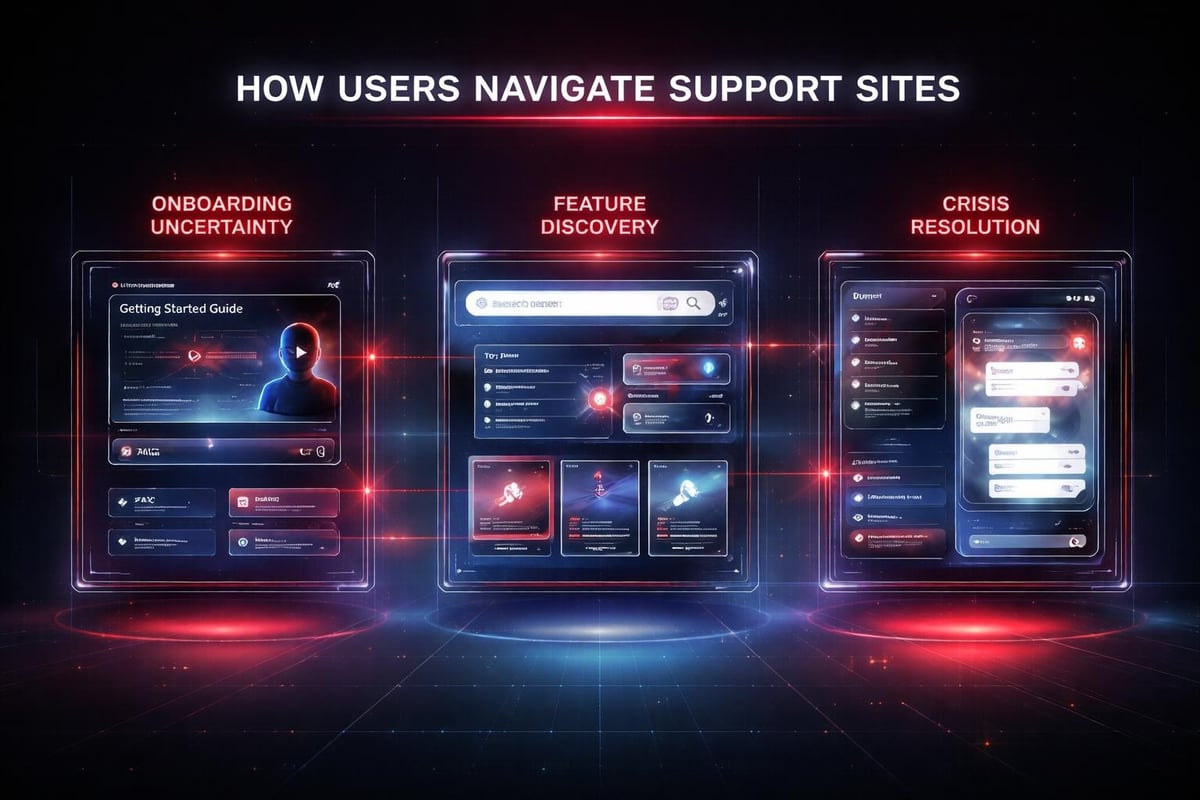
Think of support sites as activation infrastructure. Users visit support during three high-stakes moments:
- Onboarding uncertainty: "How do I set this up correctly?"
- Feature discovery: "Can this product do what I need?"
- Crisis resolution: "Something broke and I need it fixed now"
Each moment requires a different content strategy and interaction pattern. Onboarding content needs progressive disclosure and guided workflows. Feature discovery needs clear capability mapping and use case examples. Crisis resolution needs diagnostic tools and fast search.
The best support sites don't just answer questions. They reduce the cognitive load required to use your product successfully.
Structural Elements That Actually Matter
Support sites that drive product adoption share five architectural elements:
| Element | Purpose | Impact on User Behavior |
|---|---|---|
| Task-based navigation | Organizes content around user goals, not features | Reduces time-to-answer by 40-60% |
| Contextual search | Understands user intent and product state | Increases self-service resolution rates |
| Progressive disclosure | Shows information in digestible layers | Reduces overwhelm during onboarding |
| Embedded diagnostics | Helps users identify their specific problem | Decreases generic "it's broken" tickets |
| Version-aware content | Displays relevant docs based on user's product version | Eliminates confusion from outdated instructions |
These elements work together as a system. Task-based navigation surfaces the right content category. Contextual search finds the specific answer. Progressive disclosure prevents information overload. Embedded diagnostics narrow down the solution. Version awareness ensures accuracy.
When you design support sites with these structural elements, you're not just organizing information. You're creating a decision-making framework that guides users toward successful outcomes.
Application: Building Support Sites That Scale Product Knowledge
The best way to understand support site architecture is through a real scenario. Consider a startup launching a collaborative design tool. Users range from individual designers to enterprise teams with complex permission structures.
Without intentional support site design, this product creates predictable problems:
- Individual users can't find basic workflow tutorials
- Team admins struggle to understand permission hierarchies
- Enterprise buyers can't evaluate security compliance
- Support tickets cluster around the same three onboarding gaps
Here's how strategic support site design solves each problem:
1. Map Content to User Jobs-to-be-Done
Start by identifying the specific jobs users hire your product to do. For the design tool example:
- Create and iterate on design files
- Collaborate with team members
- Manage team permissions and security
- Integrate with existing workflows
- Export and share final deliverables
Each job becomes a primary navigation category. Within each category, articles are organized by workflow steps, not feature lists.
Instead of "Understanding Layers Panel," you create "How to organize complex design files." Instead of "Permission Settings Reference," you write "Setting up secure design access for contractors."
2. Implement Intelligent Search with User Context
Modern support sites use search as the primary navigation mechanism. This requires more than keyword matching. Intelligent customer service frameworks show that context-aware search dramatically improves resolution rates.
Context includes:
- The user's current plan tier (don't show enterprise features to free users)
- Their product usage patterns (prioritize results for features they actually use)
- Their role (admin vs. editor vs. viewer)
- Recent activity (if they just created a team, surface team management docs)
This contextual layer makes search feel predictive. Users find relevant answers faster because the system understands what they're likely trying to accomplish.
3. Build Self-Service Diagnostic Flows
Most support tickets start with vague problem descriptions. "It's not working." "I can't see my files." "The export failed."
Self-service diagnostic flows narrow these problems down before users contact support. These flows ask structured questions that help users identify their specific issue.
Example diagnostic flow for "I can't see my files":
- Are you logged into the correct account? (Check email in account settings)
- Were you invited to this workspace? (Check your email for invitation)
- Is the file in a different workspace? (Search across all workspaces)
- Has the file been archived? (Check archive settings)
Each question either solves the problem or eliminates a possibility. By the end, users either find their solution or provide support with precise information about their issue.
4. Design for Multiple Learning Styles
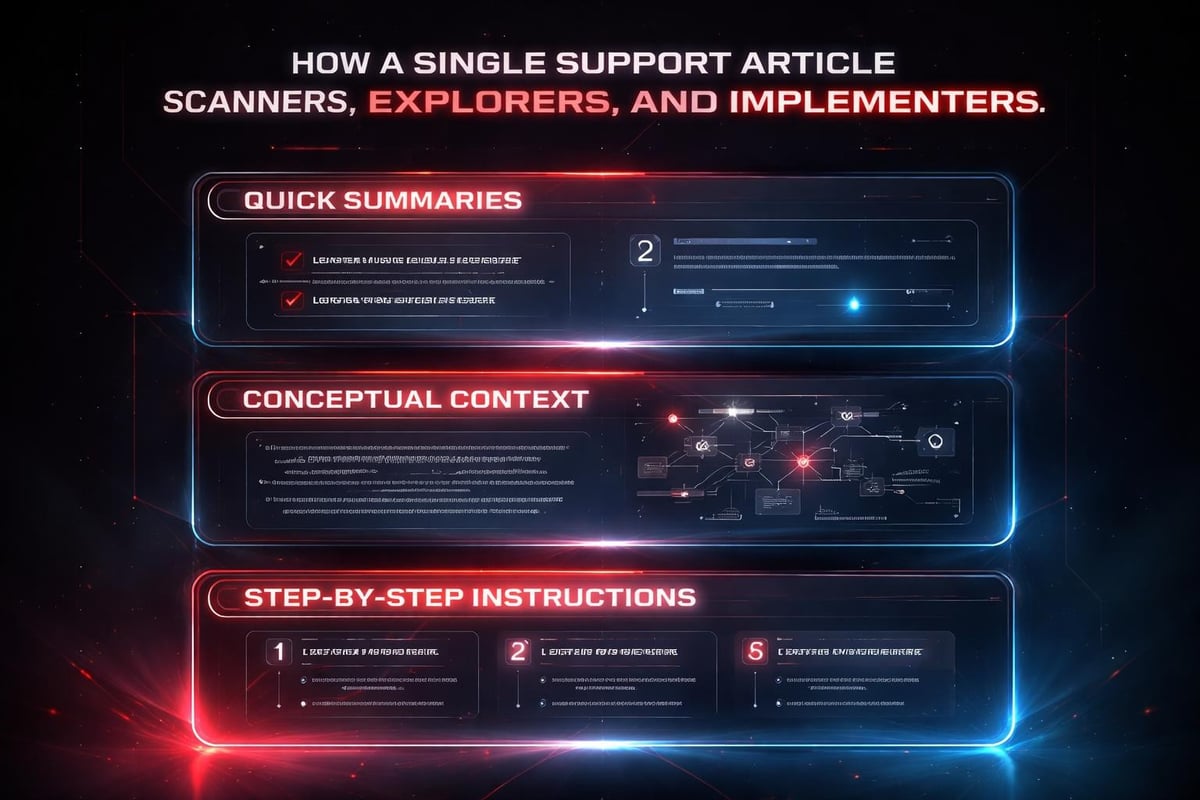
Users approach documentation differently based on their learning preference and time constraints. Support sites need to accommodate three primary styles:
- Scanners: Want quick answers to specific questions (use expandable Q&A sections)
- Explorers: Need to understand concepts before acting (provide conceptual overviews)
- Implementers: Just want step-by-step instructions (create numbered workflow guides)
The same content can serve all three styles with structured formatting:
- Start with a 2-3 sentence summary (for scanners)
- Include a "Why this matters" section (for explorers)
- Provide numbered steps with screenshots (for implementers)
This layered approach prevents the common mistake of writing articles that try to be everything and end up serving no one well.
5. Integrate Feedback Loops That Improve Content
Support sites should evolve based on actual user behavior. This requires building feedback mechanisms directly into the content:
- Article helpfulness ratings at the bottom of each page
- "Was this answer complete?" prompts after reading
- Search query tracking to identify gaps in content
- Exit surveys when users navigate away from support to contact support
Case studies in customer support optimization demonstrate that continuous content improvement based on user feedback can reduce ticket volume by 30-50% within six months.
The key is closing the loop between feedback and action. Weekly reviews of low-rated articles. Monthly analysis of failed searches. Quarterly content audits to identify outdated or missing information.
How AI Accelerates Support Site Development
AI transforms support site workflows from reactive documentation to proactive knowledge systems. But the strategic value isn't in AI writing help articles. It's in AI analyzing patterns humans miss.
Pattern Recognition at Scale
AI excels at identifying patterns across thousands of support interactions. It can:
- Cluster similar support tickets to identify missing documentation
- Analyze search queries that return zero results
- Track which articles users read before contacting support (indicating content gaps)
- Identify seasonal patterns in support needs
These insights inform content strategy in ways that manual analysis can't match. Research on agentic AI systems in customer service shows that AI-assisted pattern recognition reduces time spent on repetitive issues by up to 70%.
Dynamic Content Adaptation
AI enables support sites to adapt content based on user context in real-time. Instead of static articles, you can create dynamic guides that:
- Adjust complexity based on user expertise level
- Show relevant examples based on industry or use case
- Highlight sections based on the user's specific problem
- Suggest related articles based on reading patterns
This isn't about generating content on the fly. It's about intelligently assembling and emphasizing existing content based on what will be most helpful for each specific user.
Accelerated Content Production Without Compromising Quality
AI helps teams move from reactive to proactive documentation by:
- Drafting initial article structures based on ticket patterns
- Suggesting related articles to link for better navigation
- Identifying technical accuracy issues by cross-referencing with product documentation
- Generating multiple versions of complex instructions for different skill levels
The human writer still owns strategy, accuracy, and tone. AI handles the initial structure, consistency checking, and variant creation. This dramatically reduces the time from "we need an article about this" to "published and live."
At Embark Studio™, we use AI-assisted workflows to help startups build support infrastructure that scales with product complexity, not just headcount.
Systems Thinking: Support Sites as Product Growth Levers
The most successful product companies don't see support sites as cost centers. They see them as growth infrastructure that compounds value over time.
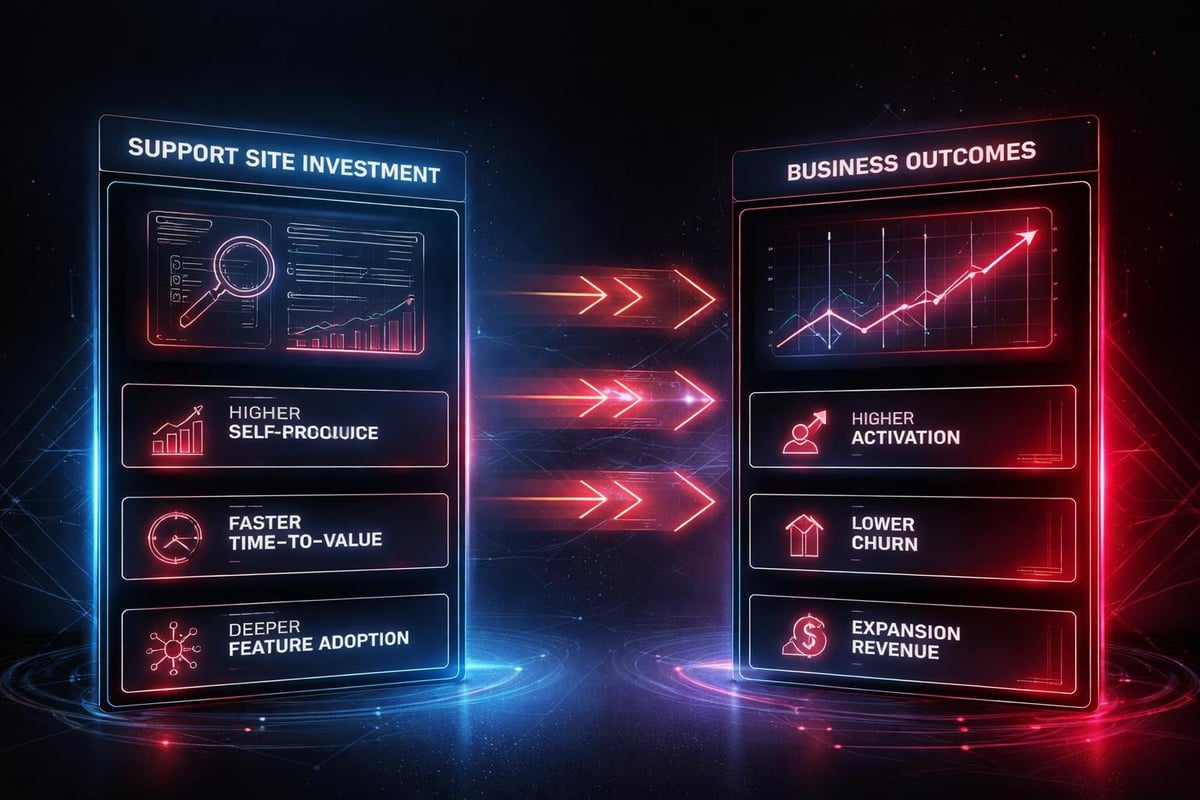
Support sites create three strategic advantages:
1. Reduced Time-to-Value for New Users
Every minute a new user spends confused is a minute closer to churn. Well-designed support sites compress the path from signup to first value by:
- Providing role-specific onboarding paths
- Anticipating common questions before they become blockers
- Offering quick wins that build confidence
Companies with strong support infrastructure typically see 40-60% higher activation rates because users successfully complete setup without friction.
2. Increased Product Adoption Depth
Users who understand your product's full capabilities use more features and extract more value. Support sites drive feature discovery through:
- Use case galleries that show what's possible
- Progressive tutorials that introduce advanced features naturally
- Integration guides that connect your product to users' existing workflows
This depth of adoption directly correlates with retention and expansion revenue.
3. Scalable Product Education Without Linear Cost Growth
Traditional support models scale linearly. More users equals more support staff. Support sites break this pattern by:
- Handling common questions automatically through self-service
- Enabling community-driven support through forums and discussions
- Creating a knowledge base that improves with every interaction
The marginal cost of serving your 10,000th user is nearly identical to serving your 100th. This is how support sites become genuine growth levers.
| Traditional Support Model | Support Site as Infrastructure |
|---|---|
| Scales linearly with users | Scales sublinearly after initial investment |
| Reactive ticket resolution | Proactive problem prevention |
| Knowledge siloed in support team | Knowledge distributed across organization |
| Measuring response time | Measuring self-service resolution rate |
| Cost center mentality | Growth investment mentality |
Design Patterns That Work Across Product Types
While every product has unique support needs, certain design patterns prove effective across categories:
Contextual Help Within Product UI
The best support happens before users leave your product. In-app contextual help reduces friction by:
- Detecting when users seem stuck (hovering over elements, rapid clicks)
- Offering relevant help articles without forcing navigation away
- Providing tooltip explanations for complex features
- Creating guided walkthroughs for multi-step workflows
This pattern works especially well for complex B2B products where switching context to read documentation breaks flow state.
Progressive Onboarding Checklists
Instead of overwhelming new users with everything at once, progressive checklists guide them through setup in logical stages:
Stage 1: Core Setup (required to get any value)
- Create first project
- Invite one team member
- Complete basic task
Stage 2: Team Enablement (unlocks collaboration value)
- Configure permissions
- Set up notification preferences
- Integrate communication tools
Stage 3: Advanced Features (maximizes product value)
- Automate repetitive workflows
- Create custom templates
- Set up analytics tracking
Each stage completion provides a dopamine hit of progress while teaching product concepts incrementally.
Version-Specific Documentation Routing
Nothing frustrates users more than following instructions that don't match their product version. Smart support sites detect which version users are running and route them to appropriate documentation automatically.
This requires:
- Version detection in product URLs or API calls
- Maintaining documentation for current version plus two prior versions
- Clear migration guides when users need to upgrade
- Deprecation warnings for features being phased out
The U.S. Web Design System demonstrates how version-aware documentation maintains accuracy across multiple release cycles.
Building Support Sites That Evolve With Your Product
Support sites are never finished. They evolve alongside your product, user base, and market positioning. The most effective approach treats support sites as living systems that require continuous attention.
Quarterly Content Audits
Every three months, review your support site against four criteria:
- Accuracy: Do instructions match current product behavior?
- Completeness: Are there new features lacking documentation?
- Relevance: Are users still asking these questions?
- Efficiency: Can information be presented more clearly?
Document findings in a prioritized backlog. Address critical accuracy issues immediately. Schedule completeness gaps for next sprint. Batch relevance and efficiency improvements quarterly.
Integration With Product Roadmap
Support content should ship alongside features, not weeks later. This requires embedding documentation in your product development process:
- Include "write support article" in feature definition of done
- Have product managers outline key user questions during planning
- Draft initial content during development, not after launch
- Review documentation in same QA process as product features
When support site updates ship with product updates, users never encounter undocumented features. This prevents the documentation debt that accumulates when support is treated as cleanup work.
Measuring What Matters
Support sites generate abundant data, but not all metrics indicate success. Focus on these strategic indicators:
Self-Service Resolution Rate: Percentage of users who find answers without contacting support Time-to-First-Value: How quickly new users complete meaningful actions Search Success Rate: Percentage of searches that lead to article engagement Content Deflection Rate: Tickets prevented by support site improvements
Track these metrics monthly. Look for trends, not individual data points. A 5% month-over-month improvement in self-service resolution compounds to massive efficiency gains annually.
The Studio Perspective: Clarity Over Volume
At the core of effective support sites is a simple principle: clarity reduces cognitive load. Users don't need more information. They need the right information, presented at the right time, in the right format.
This is where design studio thinking applies to support sites. Just as we approach product design with systematic frameworks, support sites benefit from structured design systems that prioritize:
Information hierarchy over exhaustive coverage. Better to have 50 exceptionally clear articles than 500 mediocre ones.
Progressive disclosure over frontloading. Show users what they need now. Make advanced information discoverable when they're ready.
Task completion over feature explanation. Users care about accomplishing goals, not understanding every parameter.
Consistent patterns over creative variety. Once users learn your content structure, they navigate faster across all articles.
The most effective support sites feel invisible. Users find what they need so quickly they barely register the experience. That's design working at its best: removing friction so completely that the system disappears.
This systematic approach to support site design isn't just about efficiency. It's about respecting user time and building trust through reliability. When users know they can quickly find accurate answers in your support site, they approach your product with more confidence. That confidence translates to deeper engagement, faster adoption, and stronger retention.
Support sites are product infrastructure, not post-launch cleanup. When designed as strategic systems that anticipate user needs, reduce cognitive load, and evolve with your product, they become genuine growth levers that scale product knowledge without scaling costs. If you're building a product that needs support infrastructure designed to convert and retain users, Embark Studio™ helps startups create systematic, scalable support experiences that drive measurable product growth.
Get articles like this in your inbox
Practical design and growth insights for founders. No spam, unsubscribe anytime.


