

The misconception about no code platforms isn't that they're too simple. It's that founders think the platform itself is the solution. A no-code development platform is just infrastructure. What matters is the design system, the workflow, and the strategic decisions that determine whether your product feels coherent or chaotic. In 2026, the gap between teams shipping fast and teams shipping well comes down to one thing: understanding that no code accelerates execution, but only when paired with clarity.
The Real Problem No Code Solves
Most startups don't have a development problem. They have a velocity problem.
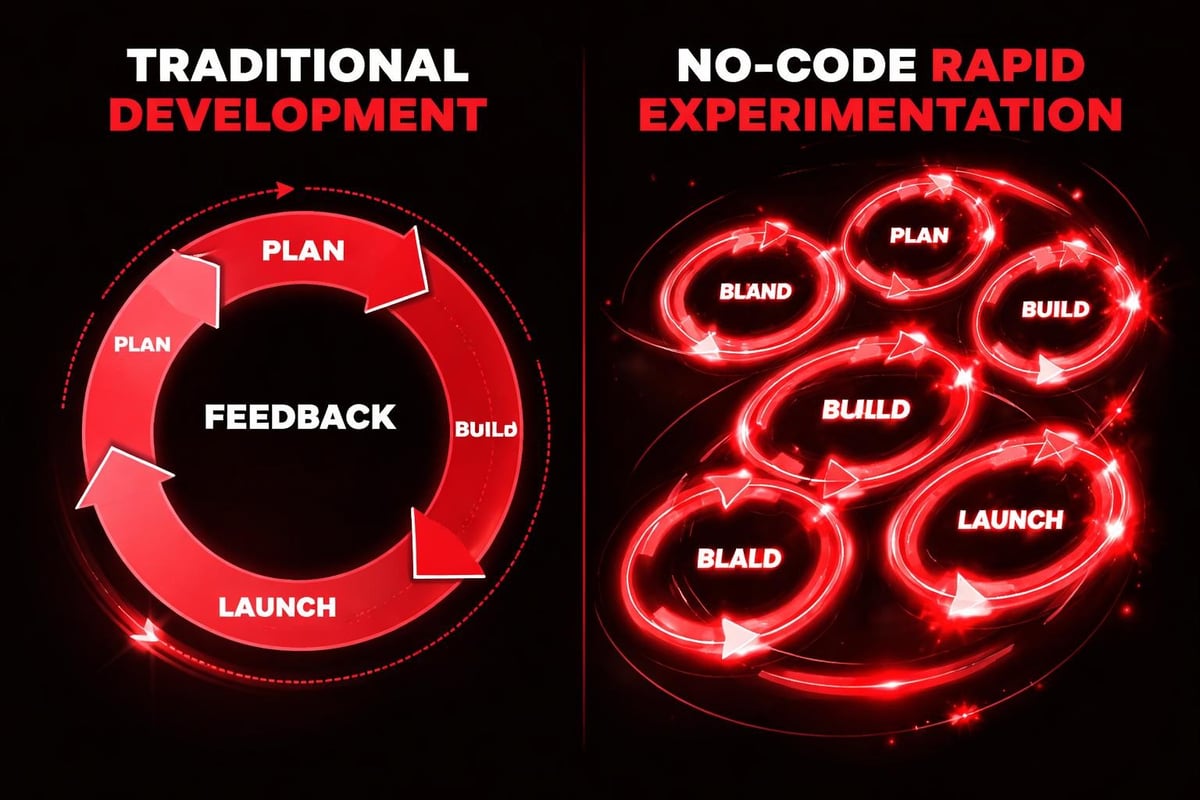
The traditional build cycle looks like this: design in Figma, hand off to engineering, wait for implementation, review inconsistencies, request changes, repeat. Each handoff introduces friction. Each iteration compounds delay. By the time your landing page launches, your messaging has evolved and your product has shifted.
No code platforms eliminate the translation layer. Designers build production-ready interfaces. Product teams iterate without engineering queues. Marketing launches experiments in hours, not sprints.
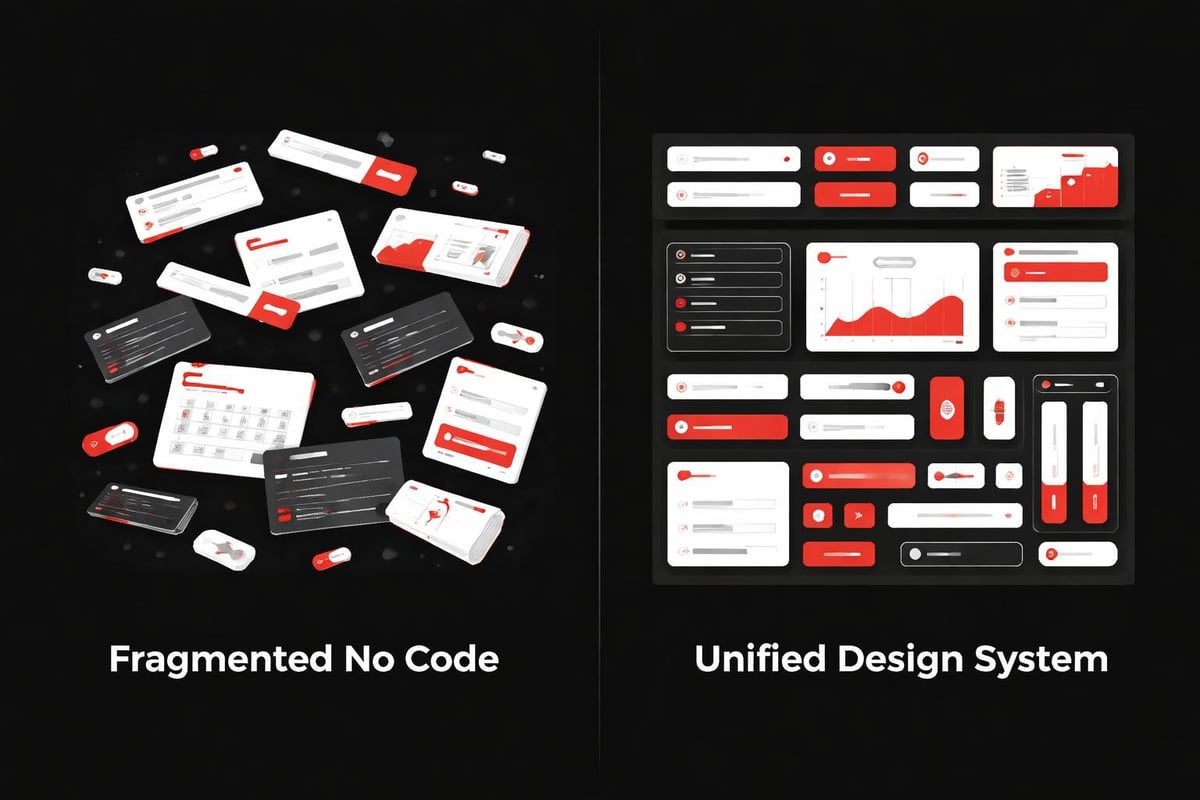
But speed without structure creates a different problem: fragmentation.
When Moving Fast Breaks Things
Here's what happens when teams adopt no code tools without design thinking:
- Every team member builds their own version of buttons, forms, and navigation patterns
- Brand consistency erodes across pages because there's no single source of truth
- Performance suffers as non-technical builders add redundant scripts and oversized assets
- Accessibility gets ignored because the platform doesn't enforce standards automatically
- Updates become maintenance nightmares when changes need to propagate across disconnected pages
The platform didn't fail. The system did.
Design Systems Make No Code Scalable
Think of no code platforms as blank canvases with pre-built tools. Without a deliberate framework, those tools produce inconsistent outputs. With a design system, they become multipliers.
A functional design system for no code environments includes:
- Component libraries with pre-configured variants (buttons, cards, navigation, forms)
- Style tokens for colors, typography, spacing, and elevation that update globally
- Layout templates that enforce hierarchy and rhythm across page types
- Content structures that separate presentation from data
- Interaction patterns that create predictable user experiences
When these elements exist as reusable building blocks, velocity increases without sacrificing quality. One designer can maintain brand consistency across dozens of pages. Product teams can test new ideas without creating technical debt. Marketing can launch campaigns that feel native to the core product.
This is where platforms like Framer excel. The same tool that enables rapid prototyping also supports sophisticated design systems. Variables cascade through components. Breakpoints adapt responsively. Animations follow consistent timing curves.
| Traditional Development | No Code Without Systems | No Code With Systems |
|---|---|---|
| 2-4 week turnaround | Same-day builds, inconsistent output | Same-day builds, systematic quality |
| Engineering bottleneck | No bottleneck, design chaos | Parallel workflows, unified brand |
| Version control complexity | File versioning only | Component-level control |
| High consistency, low speed | High speed, low consistency | High speed, high consistency |
The middle column is where most teams get stuck. They solve the velocity problem but create a quality problem. The third column requires intentional design thinking upfront.
How AI Accelerates No Code Workflows
AI doesn't replace the designer's role in no code environments. It removes the repetitive work that bogs down execution.
In 2026, AI-assisted workflows handle tasks that used to consume hours:
- Content generation that populates wireframes with realistic copy instead of lorem ipsum
- Image optimization that automatically compresses and formats assets for web delivery
- Accessibility audits that flag contrast issues, missing alt text, and focus states
- Responsive testing that identifies layout breaks across device sizes
- SEO metadata that drafts titles, descriptions, and structured data based on page content
Notice what's missing from that list: creative decisions. AI doesn't determine your information architecture. It doesn't choose your visual hierarchy. It doesn't decide which user flows matter most.
Those strategic choices still require human judgment. What AI provides is execution speed on the tactical layer.
The New Workflow Architecture
Here's how sophisticated teams integrate AI into no code design processes:
Research Phase: AI analyzes competitor sites, extracts common patterns, and identifies differentiation opportunities. Designers review insights and define strategic direction.
Structure Phase: Designers build information architecture and wireframe key flows. AI generates placeholder content that reflects actual use cases, making it easier to spot structural problems.
Design Phase: Designers create the component system and establish visual language. AI suggests variants, generates responsive rules, and identifies potential accessibility issues before launch.
Build Phase: Designers implement in the no code platform using systematic components. AI handles image optimization, generates initial SEO metadata, and runs automated quality checks.
Iteration Phase: Teams analyze performance data and user feedback. AI identifies patterns in user behavior and suggests high-impact areas for optimization.
The designer maintains creative control at every stage. AI simply removes friction from execution.
Recent developments like LLM4FaaS approaches demonstrate how natural language interfaces are making technical capabilities more accessible. But accessibility doesn't replace expertise. It amplifies what skilled designers can accomplish within compressed timelines.
Why Startups Choose No Code Over Custom Development
The decision isn't purely financial, though cost matters. A custom-coded landing page might cost $15,000-30,000 and take 6-8 weeks. The same page in a no code platform costs a fraction and launches in days.
But the real advantage is iteration velocity.
Startups operate in high-uncertainty environments. Your messaging evolves as you find product-market fit. Your value proposition shifts as you learn what resonates. Your conversion funnel changes as you identify friction points.
With traditional development, each change requires engineering time. Small updates queue behind feature work. A/B tests take weeks to implement. By the time you validate an idea, market conditions have shifted.
No code platforms make iteration continuous. Product designers can test new hero sections, adjust form flows, or experiment with pricing presentations without external dependencies. Marketing can launch campaign-specific landing pages that match ad creative precisely.
This matters most during the zero-to-one phase when learning velocity determines survival.
The Hidden Cost of Custom Code
Beyond development timelines, custom-coded websites introduce maintenance overhead that compounds over time:
- Platform updates that require regression testing and compatibility fixes
- Security patches that demand immediate attention from engineering teams
- Performance optimization that needs ongoing monitoring and technical intervention
- Content updates that require developer assistance for anything beyond basic text changes
- New feature additions that restart the entire design-to-development cycle
No code platforms abstract these concerns. Updates happen at the infrastructure level. Security patches deploy automatically. Performance optimization comes built into the platform. Content management becomes accessible to non-technical team members.
For startups with lean teams, this operational difference is material. Engineering focuses on core product differentiation instead of website maintenance.
Choosing the Right No Code Platform
Not all no code platforms serve the same use cases. The best choice depends on your product requirements, team capabilities, and growth trajectory.
When evaluating options, consider these factors:
- Design flexibility: Can the platform support your visual brand without forcing templates?
- Performance capabilities: Does it generate clean code that loads fast and ranks well?
- Integration ecosystem: Can it connect to your CRM, analytics, and automation tools?
- Collaboration features: Can multiple team members work simultaneously without conflicts?
- Scaling capacity: Will it handle increased traffic and content volume as you grow?
Platforms excel in different dimensions. Some prioritize ease of use over customization. Others offer powerful features but steeper learning curves. The right choice aligns with your team's design literacy and product ambitions.
For design-forward startups building conversion-focused experiences, platforms that bridge design and development offer the most value. Framer's approach to modern web design demonstrates how no code tools can achieve production-quality outputs when the underlying architecture supports design systems.
| Platform Type | Best For | Trade-offs |
|---|---|---|
| Pure Drag-and-Drop | Quick landing pages, low design requirements | Limited customization, template-driven aesthetics |
| Design-First Builders | Brand-critical sites, design-forward startups | Steeper learning curve, requires design thinking |
| Database-Driven Tools | Internal tools, CRM interfaces, data-heavy apps | Less visual flexibility, function over form |
| E-commerce Specific | Product catalogs, checkout flows | Optimized for commerce, limited for content |
The platform choice matters less than the system you build within it. A sophisticated team can create mediocre outputs with powerful tools. A strategic team can create exceptional outputs with simpler platforms.
The Studio Perspective: Systems Over Screens
At Embark Studio™, we don't think about websites as collections of pages. We think about them as systems that evolve.
This mental model changes how we approach no code projects:
Instead of designing fixed layouts, we design flexible frameworks that adapt to content changes and business evolution.
Instead of building isolated pages, we build component ecosystems where updates propagate systematically.
Instead of optimizing individual screens, we optimize the relationships between touchpoints across the user journey.
This systems thinking prevents the chaos that typically emerges when multiple stakeholders access no code tools. Everyone operates within the same design language. Every addition reinforces the existing structure. Every iteration improves the whole, not just individual parts.
The discipline comes from treating no code platforms like production infrastructure, not prototyping playgrounds. Version control matters. Documentation matters. Quality gates matter. The fact that you can publish immediately doesn't mean you should publish without review.
Building for Continuous Improvement
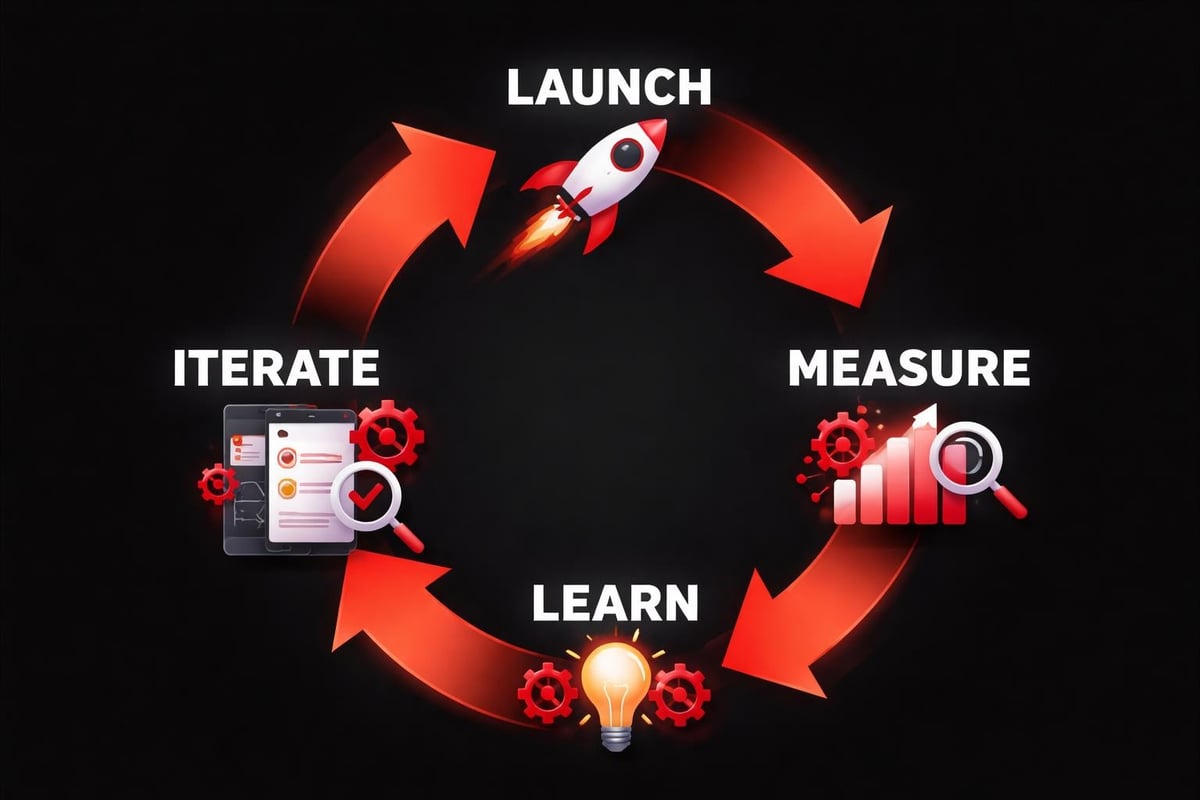
The best no code implementations don't launch and stagnate. They launch and evolve.
This requires instrumentation from day one:
- Analytics integration that tracks user behavior across flows and identifies drop-off points
- Performance monitoring that measures load times, Core Web Vitals, and technical health
- Conversion tracking that attributes outcomes to specific design decisions
- User feedback mechanisms that capture qualitative insights alongside quantitative data
- A/B testing infrastructure that enables rapid experimentation on high-impact areas
With these systems in place, your no code site becomes a learning engine. Each iteration is informed by data. Each experiment builds institutional knowledge about what resonates with your audience.
This approach aligns with how scalable design systems function: they're not static deliverables but living frameworks that improve through use.
Common Pitfalls and How to Avoid Them
Even teams that understand design systems make predictable mistakes when transitioning to no code platforms.
Pitfall One: Treating the platform like Photoshop. No code tools aren't pixel-pushing canvases. They're code generators. Designs need to translate into responsive layouts, not fixed compositions. Build with constraints in mind from the start.
Pitfall Two: Ignoring performance budgets. Just because you can add animations, custom fonts, and high-resolution images doesn't mean you should. Every asset has a loading cost. Maintain performance discipline even when the platform makes it easy to bloat.
Pitfall Three: Skipping accessibility foundations. Visual editors hide the underlying HTML structure. Don't assume the platform handles semantic markup, ARIA labels, and keyboard navigation automatically. Test with screen readers and audit against WCAG standards.
Pitfall Four: Building before strategizing. The speed of no code platforms tempts teams to jump straight to execution. Resist. The research, structure, and strategy phases matter more than ever when iteration is cheap. Bad assumptions multiply quickly.
Pitfall Five: Fragmenting ownership. When everyone can build, everyone does. Establish clear governance around who can publish, what review processes exist, and how the design system evolves. Distributed access requires centralized standards.
These pitfalls share a common thread: confusing technical accessibility with strategic clarity. No code platforms lower the barrier to execution, but they don't lower the bar for quality thinking.
Integration with Product Development
No code websites don't exist in isolation. They're touchpoints within broader product ecosystems.
The most effective implementations treat the marketing site and product as connected experiences:
- Consistent design language that makes transitions between public site and product feel seamless
- Shared component libraries where navigation, forms, and UI patterns match across contexts
- Unified user data that personalizes web experiences based on product behavior and vice versa
- Coordinated launches where product releases align with website messaging and positioning updates
- Cross-functional workflows where product, marketing, and design teams collaborate in shared tools
This integration is easier when both website and product leverage modern toolchains. A product built with component-based frameworks naturally aligns with a website built from systematic no code components.
The alternative creates jarring disconnects. Users encounter one visual language on your site and a completely different experience in your product. Trust erodes. Perceived quality suffers.
Resources like guides to AI in product design show how modern workflows bridge these traditionally siloed areas. The same AI-assisted processes that accelerate product development can enhance website iteration.
The Future of No Code Design
The trajectory is clear: no code platforms will become more powerful while remaining more accessible.
What's emerging in 2026 and beyond:
Advanced AI integration that moves beyond content generation into layout suggestions, A/B test recommendations, and predictive personalization based on user segments.
Native design system support where platforms provide built-in token management, component versioning, and systematic variant controls that rival what developers build with code.
Improved performance optimization through automatic code splitting, lazy loading, and server-side rendering that happens transparently without developer configuration.
Deeper data integration allowing websites to pull from product databases, CRM systems, and analytics platforms in real-time without custom development.
Collaborative intelligence where platforms learn from how teams work and suggest optimizations based on patterns across similar projects.
But here's what won't change: the need for strategic design thinking. Platforms will accelerate execution. They won't replace the judgment required to know what to build, why it matters, and how it fits into broader product strategy.
The winners in the no code era won't be the teams with the most powerful tools. They'll be the teams with the clearest systems.
Making the Strategic Shift
If you're currently relying on traditional development for your marketing site, the transition to no code requires intentional planning.
Start by auditing your current situation:
- How often do you need to make website updates?
- What's your average turnaround time from request to publish?
- Where are the bottlenecks in your current workflow?
- What percentage of changes are content versus structural?
- How many stakeholders need website access?
High update frequency, slow turnarounds, and multiple stakeholders signal strong no code fit. If you're making monthly changes through engineering tickets, you're operating at a fraction of possible velocity.
Next, assess your design system maturity. Do you have documented component libraries? Are your brand guidelines specific enough to inform implementation decisions? Have you defined responsive behaviors and interaction patterns?
If the answer is no, build these foundations before migrating. Transitioning to no code without systematic design just accelerates chaos.
Finally, plan for capability building. Someone on your team needs to become proficient with the platform. This doesn't mean hiring a specialist. It means investing in training for existing team members who understand your brand and product strategy.
The learning curve is measured in days or weeks, not months. But it's not zero. Factor in ramp-up time when planning your transition.
For teams exploring options, resources on Framer's platform capabilities demonstrate what's possible when no code tools support sophisticated design systems. The platform choice matters less than the strategic approach.
No code platforms transform startup velocity when paired with systematic design thinking. The tool accelerates execution, but the system ensures quality scales with speed. At Embark Studio™, we build conversion-focused web experiences that combine no code efficiency with design system rigor, helping founding teams move faster without sacrificing brand integrity or user experience quality.
Get articles like this in your inbox
Practical design and growth insights for founders. No spam, unsubscribe anytime.


