

Most designers approach Framer Studio as just another design tool. They import their Figma files, build a few interactions, and ship a website. But they're missing the deeper shift happening beneath the surface. Framer Studio isn't about making pretty websites faster. It's about collapsing the distance between design thinking and production-ready code. It's about building systems that scale, iterate, and convert without requiring constant developer handoffs. The teams who understand this distinction are already moving at a different velocity.
The Real Problem Framer Studio Solves
Design handoffs break momentum. A designer creates pixel-perfect mockups in Figma. A developer translates them into code. Questions emerge. Revisions happen. Weeks pass. By the time the site launches, the original design intent has degraded through a dozen compromises.
Framer Studio eliminates this friction entirely.
It merges design and deployment into a single environment. You're not building representations of websites. You're building actual websites with production-ready code that renders in the browser. Every adjustment you make is live. Every interaction is real. Every component is reusable.
This isn't just convenient. It fundamentally changes how fast you can validate ideas.
When Framer's pricing evolved in recent years, it reflected this shift toward teams who ship continuously, not designers who hand off static files. The tool rewards velocity over perfection. It rewards iteration over elaborate documentation.
Why Traditional Tools Create Bottlenecks
- Separation of design and code environments forces constant translation
- Static mockups can't capture behavioral nuance like scroll triggers or state changes
- Developer dependencies slow down simple content updates that designers should own
- Version control chaos when design and development repos diverge
Framer Studio collapses these layers. Design files become websites. Designers become publishers. Updates happen in minutes, not days.

The Core Principle: Design Systems, Not Screens
Here's where most teams misunderstand Framer Studio's power. They treat it like a page builder. They create one-off hero sections, custom cards, unique layouts for every page. Then three months later, they can't maintain any of it.
Framer Studio excels when you think in systems, not screens.
A system means every button is a variant of the same component. Every card shares a base structure. Every color references a token that updates globally. When you change a design decision, it propagates everywhere automatically.
This mirrors how developers think about code. DRY principles. Reusable functions. Single sources of truth. Framer Studio brings that same rigor to visual design.
| System Thinking | Screen Thinking |
|---|---|
| Reusable components | Custom elements per page |
| Token-based styling | Hard-coded values |
| Variant-driven flexibility | Duplicated layers |
| Global updates | Manual find-and-replace |
| Scales with growth | Degrades over time |
The teams building scalable design systems in 2026 understand this instinctively. They're not designing faster websites. They're designing systems that make future websites trivial to build.
Building Your First Component System
- Start with atomic elements like buttons, input fields, and typography styles
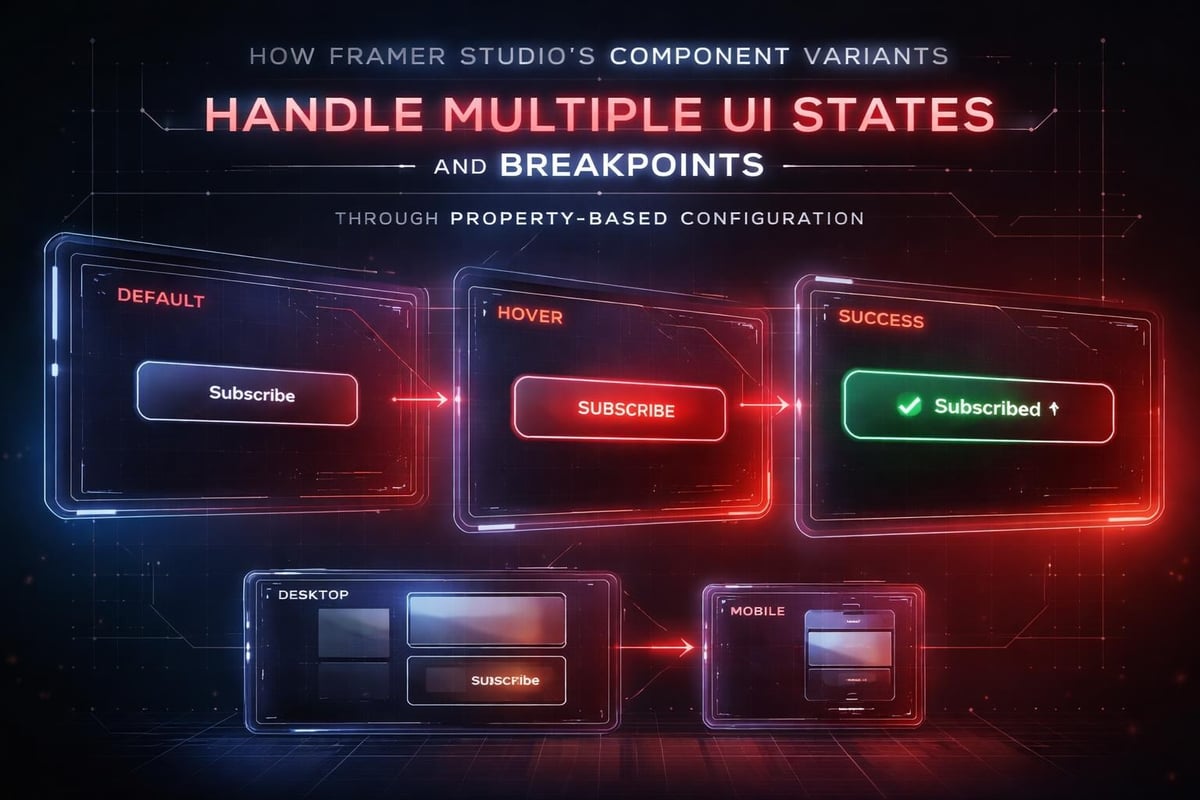
- Define variants for every state including hover, active, disabled, and loading
- Create composition patterns for cards, sections, and page layouts
- Establish naming conventions that make components discoverable
- Document usage rules directly in component properties
When you approach Framer Studio this way, you're not just building a website. You're building infrastructure for every website that follows.
The Application: Real UI Scenarios
Let's examine how this plays out in practice. Imagine you're designing a SaaS landing page. You need hero sections, feature grids, testimonial carousels, and pricing tables. The traditional approach: design each section individually, worry about responsiveness later, hand off to developers.
The Framer Studio approach: build the system first.
You create a container component with built-in breakpoint logic. Padding, max-width, and grid gaps adjust automatically based on viewport. Every section uses this container. When your design system evolves, you update one component and every page reflects the change.
You build a feature card component with slots for icons, headlines, and body copy. You create variants for horizontal, vertical, and compact layouts. You add a "highlighted" variant for premium features. Now you can assemble feature sections in seconds, and every card maintains visual consistency.
This is where Framer Studio separates from traditional tools. You're not pushing pixels. You're configuring systems. You're thinking like an engineer while maintaining design control.
The Framer crash course at Framer University walks through this component-first approach in detail, showing how professional teams structure projects for long-term maintainability.
Typography and Spacing Systems
Typography in Framer Studio follows the same systematic thinking. You don't set font sizes arbitrarily. You define a type scale using text styles that reference design tokens. Your H1 isn't "48px bold." It's a reusable text style that pulls from a token system.
When you need to adjust hierarchy across your entire site, you update the token. Every headline changes instantly. No find-and-replace. No missed instances. Pure system-level control.
Spacing works the same way. Define a scale (8px, 16px, 24px, 32px, 48px, 64px) and stick to it. Use these values for margins, padding, and gaps. Your layouts gain inherent rhythm and consistency without conscious effort.
How AI Accelerates the Workflow
AI doesn't replace the design thinking we just described. It accelerates the execution. Framer Studio integrates AI in ways that enhance your systematic approach, not bypass it.
Content generation helps you populate components with realistic copy during design. Instead of lorem ipsum, you get plausible headlines and body text that reveal layout issues early. This speeds up critique cycles and helps stakeholders visualize the final experience.
Image filling automatically sources relevant visuals that match your content context. While you'll replace these with final assets, they eliminate the blank-box problem that makes early designs hard to evaluate.
Code generation handles responsive logic and interaction states that would normally require manual coding. You define the behavior you want, and Framer Studio writes the underlying code. You maintain design control while gaining development power.
But here's the crucial distinction: AI handles execution, not strategy. You still define the component architecture. You still establish the design system. You still make decisions about hierarchy, spacing, and user flow. AI just removes the tedious parts.
This mirrors how modern product teams use AI. It's not about replacing designers with algorithms. It's about removing friction from the workflows designers already master. The guide to AI in product design for 2026 explores this collaboration model in depth.
AI-Assisted Iteration Loops
- Generate initial content variants to explore messaging angles quickly
- Test multiple layout configurations without manual reconstruction
- Optimize responsive breakpoints based on content patterns
- Refine interaction timing through rapid parameter testing
- Scale component libraries by generating systematic variants
The velocity this enables is significant. You can explore ten layout directions in the time traditional tools require for two. But only if your underlying system is sound.
Studio Thinking: Clarity Over Noise
The web is drowning in visual complexity. Gradients, shadows, animations, and effects pile up until the core message disappears. Framer Studio gives you the power to add all that complexity. The discipline comes from resisting it.
Studio thinking means clarity over noise. Every element earns its place through function, not decoration. Animations reinforce meaning rather than demanding attention. White space creates rhythm rather than getting filled with content.
This philosophy extends to component design. A button doesn't need five hover states and three shadow layers. It needs clear affordance and reliable behavior. A card doesn't need gradient overlays and parallax effects. It needs hierarchy and scannability.
When you browse inspiring Framer sites in 2026, notice how the best examples show restraint. They use Framer Studio's capabilities to enhance clarity, not obscure it.
The Conversion-Focused Lens
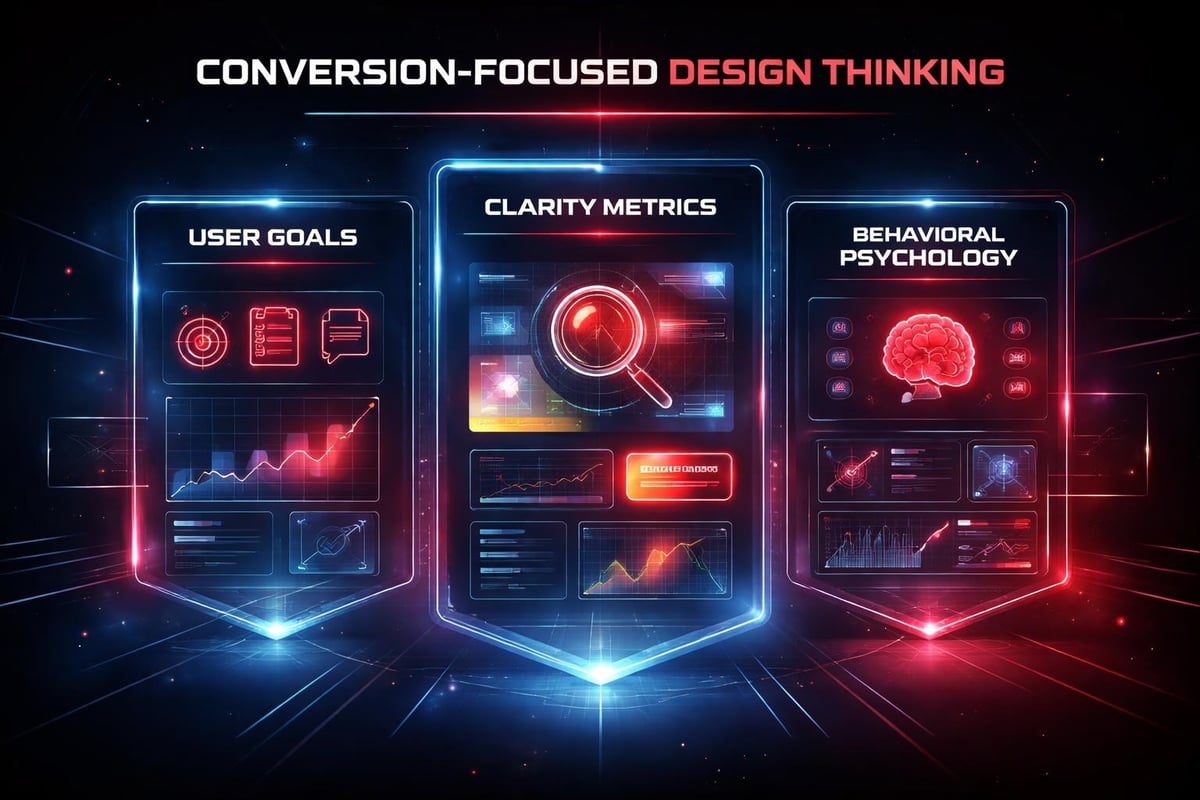
Framer Studio makes it easy to add interactions. The real skill is knowing which interactions matter. Every design decision should support user goals, not designer preferences.
Does this animation help users understand state changes? Does this micro-interaction provide meaningful feedback? Does this layout hierarchy guide attention toward conversion points?
| Clarity-Driven | Noise-Driven |
|---|---|
| Purposeful animation | Gratuitous effects |
| Functional hierarchy | Arbitrary emphasis |
| Intentional white space | Fear of emptiness |
| Consistent patterns | Novelty for novelty |
| Readable typography | Decorative fonts |
The corporate website development principles for 2026 emphasize this performance-first mindset. Beautiful design that doesn't convert is just expensive art.
Advanced Component Patterns
Once you master basic components, Framer Studio reveals deeper patterns. Compound components combine multiple elements into cohesive units. A testimonial component might include avatar, quote, attribution, and rating as a single manageable unit.
Slot-based architecture lets you create flexible layouts where content can vary while structure remains consistent. A section component with header, body, and CTA slots can accommodate dozens of use cases without creating variants for each.
Property-driven variants let you control component behavior through simple toggles. A card component with "image position" properties (top, left, right, background) creates four layout variants without duplicating the base component.
The Framer design system features that matter most in 2026 all revolve around this component sophistication. Teams who master these patterns build faster every month as their system compounds.
State Management and Interactions
Framer Studio's interaction model connects directly to component states. A navigation menu has open and closed states. A form has empty, focused, filled, and error states. An accordion has expanded and collapsed states.
Design these states systematically. Define the visual treatment for each state. Establish transition timing that feels natural. Test the flow between states to ensure smooth user experience.
- Map all possible states before designing visual treatments
- Define transition curves that match user expectations
- Test state changes with realistic interaction patterns
- Ensure accessibility across all state variations
- Document state logic for team consistency
This systematic approach to interaction design separates professional Framer Studio work from amateur experiments. You can explore these patterns further through Framer's extensive tutorial library and Framer University's lessons.
The Maintenance Advantage
Six months after launch, design debt accumulates. New pages need different layouts. Marketing requests landing page variations. Product updates require UI adjustments. Traditional workflows mean going back to designers, creating new mockups, and re-implementing in code.
Framer Studio changes this equation completely.
Because your site is built from reusable components, updates happen at the system level. Need a new landing page? Assemble existing components in a new configuration. Need to test a different CTA approach? Swap the component variant. Need to update brand colors? Change the token values.
The teams using Framer Studio most effectively treat their site as living infrastructure, not a launched artifact. They iterate continuously based on performance data. They A/B test messaging without developer involvement. They respond to market changes in days, not quarters.
This maintenance advantage compounds over time. While competitors wait weeks for design updates, you ship improvements weekly. While they debate component specifications, you test variants live.
Version Control and Team Collaboration
Framer Studio's collaboration features mirror development workflows. Multiple team members can work simultaneously. Changes sync in real-time. Comments attach directly to components. Approval flows keep stakeholders informed without blocking progress.
This collaborative model scales better than traditional handoffs. Designers don't wait for developer availability. Developers don't waste time interpreting static mockups. Product managers see live previews instead of imagining final results.
The studio membership model that many design partners now offer leverages this continuous collaboration. Rather than project-based engagements with natural endpoints, teams maintain ongoing design systems that evolve with business needs.
Integration with Broader Workflows
Framer Studio doesn't exist in isolation. Professional teams integrate it with their broader product development ecosystem. Analytics platforms track user behavior. CRM systems capture leads. Marketing automation triggers based on site interactions.
The key is treating Framer Studio as your design and deployment layer while connecting it to the tools that handle data, automation, and analysis. Custom code components let you embed tracking scripts, chatbots, and third-party integrations without sacrificing design control.
This integration mindset matters especially for startups scaling quickly. Your website needs to adapt as your product evolves, your positioning shifts, and your market expands. Framer Studio makes this adaptation continuous rather than episodic.
Teams can also leverage advanced interactions by integrating tools like Unicorn Studio for WebGL scenes and complex animations that extend Framer's native capabilities.
SEO and Performance Optimization
Framer Studio generates clean, semantic HTML that search engines understand. Meta tags, alt text, and heading hierarchy all follow best practices automatically when you structure content properly. The Framer SEO fundamentals that drive organic traffic aren't about gaming algorithms. They're about clear content architecture.
Performance optimization follows similar principles. Images lazy-load by default. Code splits automatically. Critical CSS inlines for fast initial renders. These technical advantages come from Framer Studio's architecture, not manual configuration.
But you still need to design with performance in mind. Massive images slow load times. Excessive animations tax mobile devices. Bloated component libraries create unnecessary code. The tool provides the foundation. Your systematic approach maintains the performance edge.
The Future of Visual Development
Framer Studio represents a broader shift in how digital products get built. The line between design and development blurs. Visual tools gain code-level power. AI handles routine implementation. Designers who embrace this evolution gain disproportionate leverage.
This isn't about designers learning to code. It's about design tools becoming production environments. It's about eliminating the translation layer between intention and implementation. It's about teams who design systems instead of screens.
The startups moving fastest in 2026 understand this transition. They're not hiring designers to make things pretty and developers to make things work. They're building hybrid teams that own the full experience from concept through deployment.
Framer Studio enables this new workflow. But only if you approach it with systematic thinking, conversion focus, and restraint. The tool provides capability. Your discipline determines results.
Building Your Framer Studio Practice
- Start with component fundamentals before attempting complex layouts
- Establish design tokens for colors, typography, and spacing from day one
- Create variant-based flexibility rather than duplicating components
- Test responsive behavior continuously as you design
- Document patterns so team members maintain consistency
- Integrate analytics to validate design decisions with data
- Iterate based on performance rather than aesthetic preferences
This systematic approach builds momentum. Each project adds to your component library. Each pattern you master accelerates future work. Each optimization compounds your competitive advantage.
The customer feedback on Framer reveals this learning curve clearly. Beginners struggle with unfamiliar paradigms. Intermediate users appreciate the speed. Advanced users recognize they're building at a fundamentally different level than traditional tools allow.
Framer Studio rewards systematic thinking, not technical tricks. It accelerates teams who build with clarity, iterate with purpose, and design for conversion rather than applause. When you approach it as infrastructure rather than a tool, your velocity transforms. At Embark Studio™, we help startups build these high-performance systems using Framer's capabilities alongside AI-assisted workflows that eliminate bottlenecks and drive measurable growth. If you're ready to move faster and scale smarter, let's build something that converts.
Get articles like this in your inbox
Practical design and growth insights for founders. No spam, unsubscribe anytime.


