

The conversation around ai in web design 2026 has shifted from "will AI replace designers" to "how do we build systems that leverage AI without sacrificing strategic thinking." The tools are mature enough to accelerate execution significantly. The question is whether your design partner knows how to use them without producing generic, template-driven work that damages your brand positioning.
The State of AI in Web Design 2026
AI tools have moved from experimental to production-grade. Generative AI now powers significant portions of design workflows, from initial layout exploration to asset optimization and responsive behavior. The difference between effective and ineffective use comes down to control architecture.
Most design teams fall into two traps. First, they hand too much creative control to AI and get homogenized output that looks like every competitor. Second, they resist AI entirely and burn time on manual tasks that should be automated. Neither approach delivers competitive advantage.
The strategic middle ground:
- AI handles repetitive execution tasks (responsive breakpoints, asset variants, basic animations)
- Designers control brand strategy, information architecture, and conversion optimization
- Systems are built with AI augmentation in mind from the start
- Human oversight remains at every decision point that affects brand perception
Where AI Actually Adds Value
AI in web design 2026 excels at speed and iteration volume. You can explore twenty layout variations in the time it used to take to build two. That matters when you're testing messaging against different audience segments or optimizing conversion paths.
High-impact AI applications:
- Layout exploration - Generate multiple structural approaches to the same content, then refine the best direction
- Responsive behavior - Automatically adapt designs across breakpoints while maintaining hierarchy
- Asset generation - Create background patterns, texture overlays, and decorative elements that match brand guidelines
- Copy variants - Test different messaging approaches for hero sections, CTAs, and feature descriptions
- Motion choreography - Build smooth scroll animations and micro-interactions with natural timing curves
AI-powered design tools in 2026 have eliminated the mechanical aspects of web design. What remains is strategy, brand expression, and conversion architecture.

The Creative Control Problem
The biggest risk with ai in web design 2026 is losing brand differentiation. AI models are trained on existing work. Left unchecked, they reproduce patterns and aesthetic decisions from their training data. Your startup ends up looking like a blend of everyone else in your category.
This is a system design problem, not a technology problem. The solution is building what we call "brand guard rails" - constraints that guide AI output toward your specific brand position.
| Control Layer | AI Role | Human Role |
|---|---|---|
| Brand Strategy | None | Define positioning, voice, visual identity |
| Information Architecture | Generate options | Validate against user needs and business goals |
| Visual Design | Execute within constraints | Set constraints, review output, refine |
| Copy & Messaging | Generate variants | Write strategic messaging, select best variants |
| Conversion Optimization | A/B test execution | Hypothesis development, results analysis |
Your design partner should be building custom AI workflows that incorporate your brand guidelines, not using generic tools that ignore them. When evaluating website builders and design tools, ask how they constrain AI output to maintain brand consistency.
The Implementation Framework
Effective ai in web design 2026 requires three-layer architecture. First, strategic direction that AI can't provide. Second, AI-assisted execution that amplifies designer productivity. Third, quality control that catches where AI deviates from brand or business requirements.
Layer 1: Strategic Foundation
Before AI touches anything, your design partner should establish:
- Target audience segments and their specific needs
- Conversion goals and measurement framework
- Brand positioning relative to competitors
- Information hierarchy based on user research
- Technical requirements and platform constraints
This work is entirely human. AI has no context about your market position, competitive landscape, or business model. Trying to shortcut this phase produces generic work regardless of how sophisticated your AI tools are.
Layer 2: AI-Accelerated Execution
With strategy locked, AI accelerates the build phase:
- Generate 15-20 layout explorations based on content hierarchy
- Create responsive breakpoint behavior for approved designs
- Build animation and interaction patterns that match brand motion principles
- Generate asset variations (social images, email headers, ad creative)
- Optimize image compression and loading performance
The time savings here are substantial. What used to take days now takes hours. But the output quality depends entirely on how well the strategic foundation constrains AI behavior.
Layer 3: Quality Control Gates
Every AI output goes through validation:
- Brand alignment check against visual identity system
- Conversion effectiveness review against established patterns
- Accessibility compliance audit (WCAG standards)
- Performance testing across devices and connection speeds
- Security review for any generated code
Modern AI web design workflows that skip quality control end up shipping work that needs expensive revisions later.

Platform Integration and Tool Selection
The platform you build on determines how effectively you can leverage ai in web design 2026. Not all builders and frameworks support AI augmentation equally well.
Critical platform requirements:
- API access for custom AI workflow integration
- Component-based architecture that AI can manipulate
- Version control that tracks AI-generated changes separately
- Testing frameworks that validate AI output automatically
- Performance optimization that works with AI-generated code
Framer has emerged as the strongest platform for AI-assisted workflows because of its component architecture and real-time collaboration features. You can integrate AI tools directly into the design process without breaking version control or introducing technical debt.
Tool Stack Architecture
Production-grade ai in web design 2026 requires orchestration between multiple specialized tools. No single platform handles everything well.
| Function | Tool Category | Integration Point |
|---|---|---|
| Layout Generation | Generative design AI | Feeds into design platform as starting point |
| Content Strategy | AI writing assistants | Provides copy variants for designer selection |
| Image Assets | AI image generation | Creates placeholder and background imagery |
| Code Optimization | AI development tools | Refines exported code for performance |
| Testing & Analytics | AI analysis platforms | Identifies conversion opportunities |
The key is treating these as connected systems, not isolated tools. Your design partner should have workflows that move efficiently between them without manual export/import cycles that waste time and introduce errors.
The Human-AI Collaboration Model
The most effective design teams in 2026 use AI as a creative amplifier, not a replacement. The designer sets direction, AI executes multiple variations, designer selects and refines.
This collaboration model produces better outcomes than either pure AI or pure manual work. AI eliminates the tedium of mechanical execution. Designers focus energy on strategic decisions that drive business impact.
Productivity gains we're seeing:
- Layout exploration: 8x faster than manual design
- Responsive adaptation: 12x faster across breakpoints
- Asset generation: 15x faster for background and texture elements
- A/B test variants: 10x more variations tested per campaign
- Animation implementation: 6x faster from concept to production
These aren't theoretical numbers. They're measured results from production projects with investor-backed startups where speed directly impacts runway and market positioning.
Business Impact Metrics
The value of ai in web design 2026 shows up in three areas: time to market, cost efficiency, and conversion performance. Most companies focus on the first two and miss the third.
Time to Market Acceleration
AI-assisted workflows compress design timelines significantly. A high-converting marketing website that used to require 8-10 weeks now ships in 4-6 weeks without sacrificing quality. For startups racing toward funding milestones or product launches, that timeline compression is material.
The acceleration comes from eliminating manual iteration loops. Instead of designing three layout options, reviewing in a meeting, making revisions, and repeating, you generate fifteen options, review them asynchronously, and refine the best direction immediately.
Cost Efficiency Through Automation
AI reduces the labor hours required for execution-heavy tasks. That doesn't mean cheaper design work - it means more strategic work within the same budget. Your design partner should be redirecting the time saved toward conversion optimization, user research, and strategic refinement.
| Traditional Workflow | AI-Assisted Workflow | Time Saved |
|---|---|---|
| Responsive breakpoint design | Responsive breakpoint design | 70% |
| Asset variant creation | Asset variant creation | 80% |
| Animation implementation | Animation implementation | 60% |
| A/B test build-out | A/B test build-out | 75% |
| Performance optimization | Performance optimization | 50% |
The ROI calculation is straightforward. If your design budget is $50K and AI automation saves 100 hours of execution work, you either launch faster or get 100 additional hours of strategic work. Both options generate more business value than the traditional approach.
Conversion Performance Improvement
This is where most teams miss the opportunity. AI enables testing volume that was previously impractical. You can run concurrent A/B tests on hero messaging, CTA placement, form length, and navigation structure - then iterate based on results within days instead of months.
When your website isn't converting, the solution is systematic testing. AI makes that testing financially viable for early-stage companies that can't afford months of optimization work.
The Workflow Integration Challenge
The hardest part of implementing ai in web design 2026 isn't the technology - it's the process change. Most design teams operate with established workflows built around manual execution. Introducing AI requires rethinking how work moves between strategy, design, development, and testing.
Common integration failures:
- No handoff protocol - Designers generate AI variations but don't document decision rationale
- Version control chaos - AI-generated changes overwrite manual refinements
- Quality drift - Teams stop reviewing AI output carefully after initial success
- Skill atrophy - Designers lose core capabilities by over-relying on AI
- Brand dilution - AI introduces visual inconsistencies that accumulate over time
These aren't technology problems. They're organizational design problems. Your design partner should have explicit protocols that prevent each failure mode.
Building Sustainable AI Workflows
Successful ai in web design 2026 implementation requires four components: clear role definitions, explicit quality standards, documented decision frameworks, and continuous skill development.
Role Definition
Every AI-assisted task needs clarity about human vs. machine responsibility:
- AI generates - Layout options, responsive behavior, asset variations, animation parameters
- Designer controls - Strategic direction, brand application, conversion architecture, quality validation
- Client approves - Strategic positioning, messaging hierarchy, business goal alignment
When roles blur, you get either AI output that misses strategic objectives or designers wasting time on tasks AI should handle.
Quality Standards
Design systems and brand guidelines must explicitly constrain AI behavior. This means:
- Specific color palettes with allowed use cases
- Typography rules that define hierarchy and pairing
- Spacing systems that control layout density
- Motion principles that govern animation timing and easing
- Component libraries that limit AI to pre-approved patterns
The more specific your constraints, the better AI performs within them.
Decision Documentation
Every AI-assisted design decision should be documented with rationale. Why did you select this layout over the other fourteen options? What user need or business goal drove that choice? What test would validate the decision?
This discipline prevents AI from becoming a black box where no one understands why the website looks and behaves as it does. It also creates institutional knowledge that survives team changes.
Continuous Skill Development
Design teams need ongoing training in both AI tools and fundamental design principles. The goal is using AI to amplify expertise, not replace it. That requires designers who understand brand strategy, conversion psychology, and information architecture at a level AI can't replicate.
Strategic Differentiation Through AI
The competitive advantage from ai in web design 2026 doesn't come from using AI tools - everyone has access to them. It comes from how you integrate AI into a larger strategic framework that creates compounding value.
First-order effects (what most companies achieve):
- Faster execution on individual projects
- Lower cost per design deliverable
- More variations tested per optimization cycle
Second-order effects (where differentiation happens):
- Continuous improvement culture enabled by low-cost iteration
- Data-driven design decisions backed by systematic testing
- Brand systems that evolve based on performance feedback
- Design velocity that enables rapid response to market changes
The companies winning with AI aren't just building websites faster. They're building continuous improvement systems where design, testing, and optimization operate as an integrated loop.
The Compound Effect Architecture
Think of your website as a system that improves over time, not a project that ships and stays static. AI-powered design workflows make this economically viable for startups that can't afford dedicated optimization teams.
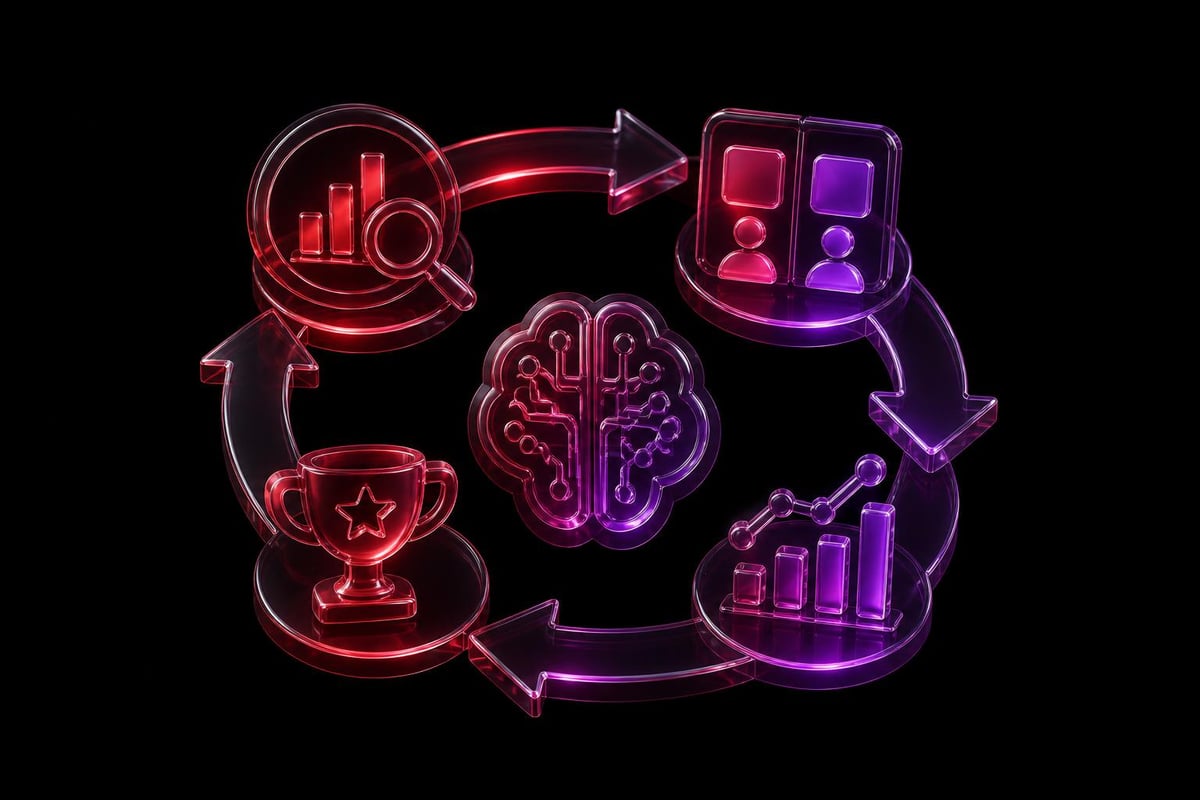
Continuous improvement loop:
- Analytics identify conversion friction points and user behavior patterns
- AI generates multiple design solutions to test against the problem
- Designers refine the most promising options based on brand and UX principles
- Testing validates which approach performs best with real users
- Implementation ships winning variations and feeds learnings back to step one
This loop used to require months and large budgets. With AI acceleration, it runs weekly. That creates compounding performance gains that competitors can't match through one-time website redesigns.
Platform-Specific Considerations
Different website platforms support ai in web design 2026 with varying effectiveness. The platform choice you made (or inherited) determines how much AI value you can extract.
Framer leads in AI integration because of its component-first architecture and real-time collaboration model. AI tools can manipulate components directly without breaking the design system. Version control tracks AI-generated changes separately from manual refinements.
Webflow supports AI workflows but requires more manual intervention. The comparison between platforms matters more in 2026 than it did previously because AI capabilities diverge significantly.
WordPress with modern page builders can incorporate AI tools but lacks the systematic integration that purpose-built platforms provide. You end up with AI as an add-on rather than a native capability.
Custom development offers maximum AI integration flexibility but requires significant engineering investment to build the infrastructure. Only makes sense at scale.
Migration Timing Considerations
If you're on a platform with limited AI support, when should you migrate? The calculation depends on how much optimization velocity matters to your growth model.
Migrate now if:
- You're testing conversion improvements weekly or more frequently
- Your design team spends significant time on manual execution tasks
- Your market moves fast and you need rapid design iteration capability
- You're scaling paid acquisition and need continuous landing page optimization
Stay put if:
- Your website changes quarterly or less frequently
- Manual execution time isn't blocking business goals
- You're pre-product-market-fit and design velocity isn't the constraint
- Migration cost exceeds twelve months of optimization value
Most investor-backed startups fall into the first category. The ROI on platform migration that enables AI acceleration pays back within 6-9 months through faster optimization cycles and improved conversion performance.
The Human Oversight Requirement
Despite significant advances, ai in web design 2026 still requires expert human oversight at critical decision points. The technology understands patterns but not context.
Where AI fails without human direction:
- Strategic positioning - AI can't determine how your brand should differentiate from competitors
- Audience psychology - AI doesn't understand the emotional drivers behind purchase decisions in your market
- Business model alignment - AI can't optimize for your specific unit economics and growth levers
- Brand evolution - AI can't decide when to push brand boundaries vs. maintain consistency
- Cultural sensitivity - AI misses nuanced cultural implications of visual and verbal choices
These aren't temporary limitations that newer models will solve. They're fundamental gaps between pattern recognition and strategic thinking.
The Designer Role Evolution
AI hasn't replaced designers. It's elevated the baseline skill requirement. The designers who thrive with ai in web design 2026 are those who:
- Think in systems - Build design frameworks that scale across products and channels
- Understand business models - Connect design decisions to revenue and growth metrics
- Master constraints - Define rules that guide AI toward brand-consistent output
- Read data - Interpret analytics and test results to drive design direction
- Communicate strategy - Articulate why design decisions matter to business outcomes
If your design partner is still focused primarily on aesthetic execution, they're not equipped for AI-assisted workflows. The partnership model matters more than ever because AI amplifies both expertise and inexperience equally.
Implementation Roadmap for Growing Companies
If you're implementing ai in web design 2026 for the first time, the sequence matters. Start with high-impact, low-risk applications. Build confidence and capability before tackling complex use cases.
Phase 1: Asset Generation (Weeks 1-2)
- Implement AI for background patterns, texture overlays, and decorative elements
- Use AI to generate image variations for A/B testing
- Automate responsive image optimization and compression
- Risk level: Low - Easy to review and revise AI output
- Impact: 20-30% time savings on asset-heavy projects
Phase 2: Layout Exploration (Weeks 3-4)
- Use AI to generate multiple layout approaches for key pages
- Train team on selecting and refining AI-generated options
- Document decision criteria for choosing layouts
- Risk level: Medium - Requires designer oversight to maintain brand consistency
- Impact: 40-50% faster layout exploration phase
Phase 3: Responsive Behavior (Weeks 5-6)
- Implement AI for breakpoint adaptation and responsive design
- Set up quality control checks for AI-generated responsive behavior
- Build component libraries that constrain AI output
- Risk level: Medium - Technical complexity requires testing across devices
- Impact: 60-70% time savings on responsive implementation
Phase 4: Conversion Optimization (Weeks 7-8)
- Deploy AI for A/B test variant generation
- Integrate with analytics platform for automated performance tracking
- Build continuous improvement loop with weekly iteration cycles
- Risk level: Low - Easy to measure and validate results
- Impact: 10x increase in optimization testing velocity
Phase 5: Full Workflow Integration (Ongoing)
- Connect all AI tools into unified workflow
- Train entire team on AI-assisted processes
- Document and refine protocols based on results
- Risk level: High initially, decreases with practice
- Impact: 2-3x overall design productivity improvement
This phased approach builds capability progressively while managing risk. Most companies try to implement everything simultaneously and end up with inconsistent results that damage confidence in AI tools.
Measuring AI Design ROI
You need specific metrics to evaluate whether ai in web design 2026 is delivering business value. Generic "faster and cheaper" assessments don't provide actionable insight.
Input metrics (measure AI adoption):
- Percentage of design tasks using AI assistance
- Hours saved per week through AI automation
- Number of design variations tested per project
- Ratio of AI-generated to manually-created assets
Output metrics (measure business impact):
- Time from project kickoff to launch
- Cost per completed design deliverable
- Conversion rate improvement from optimization testing
- Revenue impact of design changes
Quality metrics (ensure AI doesn't damage brand):
- Brand consistency score across deliverables
- Accessibility compliance rate
- Performance benchmarks (page speed, Core Web Vitals)
- User satisfaction and engagement metrics
The ROI case builds when input metrics improve without output metrics degrading. If AI makes you faster but conversion rates drop, you're optimizing the wrong variable.
Common ROI Calculation Mistakes
Mistake 1: Comparing AI-assisted design cost to previous manual process without accounting for increased testing volume. The value isn't just doing the same work cheaper - it's doing more valuable work within the same budget.
Mistake 2: Measuring speed improvements without tracking quality outcomes. Shipping bad design faster doesn't create business value.
Mistake 3: Ignoring the learning curve period. Early AI implementation is slower as teams learn new workflows. ROI compounds over time.
Mistake 4: Attributing all performance improvements to AI without controlling for other variables. Conversion rate increases might come from better messaging strategy, not AI execution speed.
The correct ROI framework measures AI's impact on your ability to systematically test and improve - not just its impact on individual project economics.
Selection Criteria for AI-Capable Design Partners
When evaluating design studios for AI-assisted work, most companies focus on the wrong questions. Don't ask "what AI tools do you use?" Ask "how do you ensure AI accelerates strategic work without commoditizing brand expression?"
Critical evaluation criteria:
- Strategic process - Do they start with business goals and user needs, or jump straight to AI execution?
- Quality control systems - How do they validate AI output against brand and conversion requirements?
- Workflow documentation - Can they explain exactly how AI fits into each project phase?
- Team expertise - Do their designers have deep strategic capabilities, or just tool proficiency?
- Performance accountability - Do they measure business outcomes, or just deliverable completion?
The best design partners use ai in web design 2026 to amplify their strategic expertise, not replace it. They should be able to articulate clear principles about when to use AI vs. manual execution for maximum business impact.
Red Flags in AI Design Partnerships
Red flag 1: Partner leads with AI capabilities instead of strategic approach. Tools should serve strategy, not drive it.
Red flag 2: No documented quality control process for AI output. Consistent quality requires systematic validation.
Red flag 3: Claims of "fully automated" design workflows. Strategic design requires human judgment throughout.
Red flag 4: Can't explain specific AI ROI in past client projects. Vague claims about "efficiency" aren't enough.
Red flag 5: No opinion on AI limitations. Understanding where AI falls short is as important as knowing where it excels.
The design partner who can articulate both AI's strengths and constraints - and has systems to leverage one while mitigating the other - will deliver materially better outcomes than partners who treat AI as magic.
Future-Proofing Your Design System
The pace of AI advancement means your design approach needs built-in adaptability. Static design systems that worked in 2024 won't scale with ai in web design 2026 capabilities.
Future-proof system characteristics:
- Component-based architecture that AI tools can manipulate programmatically
- Explicit constraint documentation that guides AI toward brand-consistent output
- Version control protocols that track human vs. AI contributions separately
- Testing frameworks that validate AI-generated variations automatically
- Performance budgets that AI respects when generating code or assets
Building these characteristics into your foundation now creates leverage as AI capabilities expand. You'll be able to adopt new tools without rebuilding core systems.
The Continuous Evolution Model
Traditional websites are static assets that degrade over time. Modern sites are living systems that improve through continuous testing and refinement. AI makes this evolution economically viable.
Your design partner should be building infrastructure for continuous improvement, not one-time projects. That means analytics integration, testing protocols, optimization workflows, and partnership models that support ongoing iteration.
The companies that win aren't those with the best initial design. They're those with the fastest improvement velocity. AI provides the acceleration - but only if your systems are built to leverage it.
AI in web design 2026 has matured from experimental to essential, but success requires strategic implementation that maintains brand differentiation while accelerating execution. The value comes from building continuous improvement systems, not just completing individual projects faster. If you're looking to leverage AI-powered workflows without sacrificing strategic thinking or brand consistency, Embark Studio™ combines modern AI-assisted design processes with the strategic oversight that drives measurable business outcomes. Our approach helps investor-backed startups ship faster, test systematically, and compound performance gains over time.
Get articles like this in your inbox
Practical design and growth insights for founders. No spam, unsubscribe anytime.


