

The integration of ai and ux design has moved beyond experimental tooling into core strategic infrastructure. Product teams that treat AI as another prototyping shortcut miss the point. The real value emerges when you architect workflows where AI handles pattern recognition, data synthesis, and variant generation while designers focus on judgment, strategic direction, and outcomes. This shift changes how fast you can move, what quality looks like at scale, and which teams win in competitive markets. Understanding how to orchestrate ai and ux design workflows determines whether you're building products that adapt to users or forcing users to adapt to your assumptions.
Why AI and UX Design Integration Matters Now
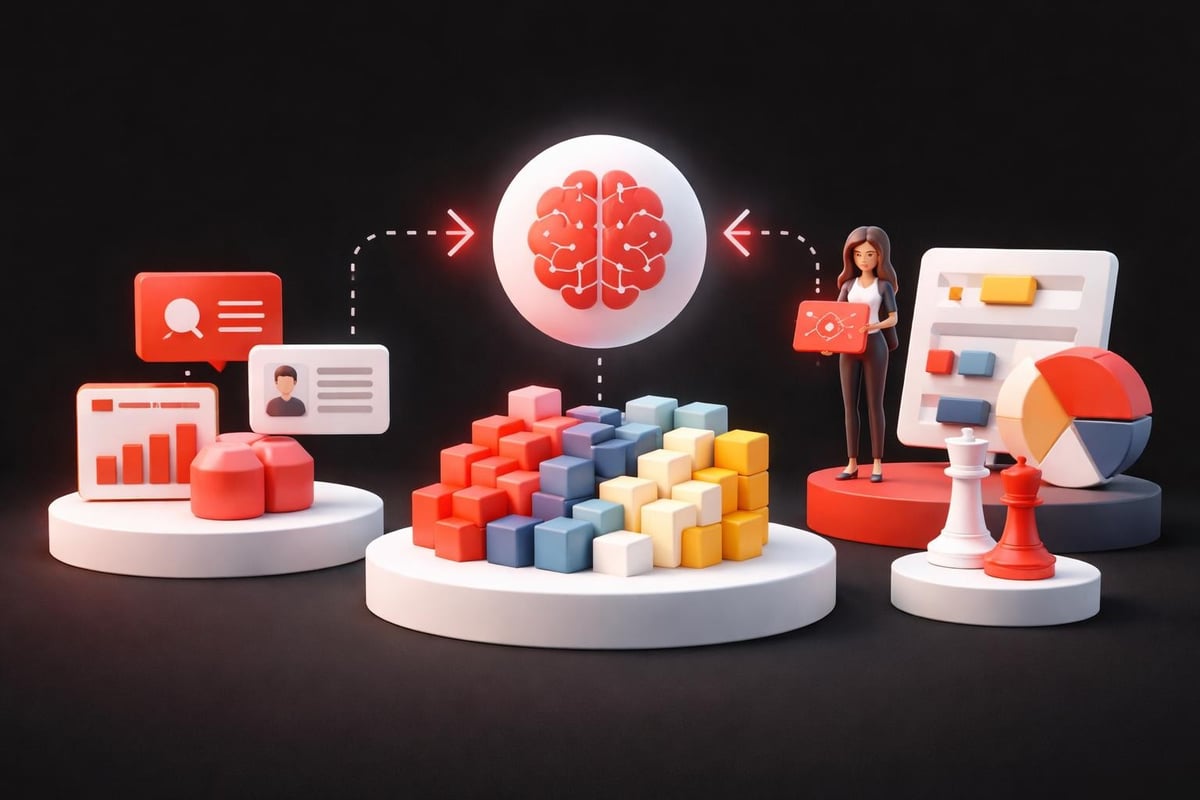
Market dynamics in 2026 demand faster iteration cycles and deeper personalization than manual design processes can deliver. The companies shipping meaningful products aren't using AI to replace designers. They're using it to compress research-to-prototype timelines from weeks to days.
The fundamental shift happens in three areas:
- Research synthesis speed: AI processes thousands of user interviews, support tickets, and session recordings to surface pattern clusters human teams would take months to identify
- Variant generation capacity: Testing 50 landing page variations used to require 50 design cycles; now it requires one strategic framework and AI execution
- Personalization depth: Adaptive interfaces that respond to user behavior, context, and intent at scale without custom engineering for each segment
Traditional UX workflows bottleneck at research analysis and variant production. You gather insights but can't act on them fast enough. You know personalization drives conversion but can't resource 47 different user journeys. AI in UX design is shaping user experiences by removing these capacity constraints while maintaining design coherence.
The strategic advantage isn't speed alone. It's the ability to test assumptions that were previously too expensive to validate. When generating and testing a new onboarding flow takes hours instead of weeks, you make better decisions because the cost of being wrong drops dramatically.
Where AI and UX Design Create Measurable Impact
Accelerated User Research Analysis
User research generates massive qualitative datasets that teams struggle to synthesize effectively. You conduct 40 user interviews and spend three weeks identifying themes. By the time you have insights, market context has shifted.
AI changes the economics of qualitative analysis. Upload interview transcripts, usability test recordings, and support conversations. Get clustered themes, sentiment patterns, and frequency-ranked pain points in hours. The designer's role shifts from manual tagging to validating clusters and identifying which insights have strategic weight.
This workflow transformation enables:
- Weekly insight cycles instead of quarterly: Run research continuously and synthesize findings before they're stale
- Cross-project pattern recognition: AI spots recurring themes across different product areas that siloed teams miss
- Hypothesis validation speed: Test whether a design direction addresses real user pain or designer assumptions within days
The quality improvement isn't just velocity. When AI surfaces patterns across 200 data points, you catch edge cases and minority user segments that get lost in manual synthesis. This directly impacts retention for users who don't fit your primary persona.
Dynamic Prototype Generation and Testing
Static prototypes built in Figma represent one design hypothesis. Testing alternative approaches requires rebuilding flows, updating components, and maintaining design system consistency across variants. This friction means most teams test 2-3 directions when they should test 10.
AI and ux design workflows remove this constraint. Define the strategic framework: user goals, key interactions, conversion points, brand parameters. AI generates variations within those constraints. The integration of AI in UX design accelerates the generation phase while designers focus on evaluation and strategic direction.
| Traditional Workflow | AI-Augmented Workflow | Impact |
|---|---|---|
| 2-3 weeks per prototype variant | 2-3 hours per variant set | 10x iteration capacity |
| Test 2-3 approaches | Test 10-15 approaches | Better optimization baseline |
| Designer builds every variation | Designer guides generation parameters | Focus shifts to strategy |
The strategic value shows up in conversion data. When you test 12 checkout flow variations instead of 2, you find the approach that works for your specific user base instead of following best practices built for someone else's customers. This compounds over time as you build a library of validated patterns specific to your product.
Personalized Interface Adaptation
Generic interfaces treat all users identically. Power users get overwhelmed by onboarding tooltips. New users get lost in advanced features. Building separate experiences for each segment requires engineering resources most teams don't have.
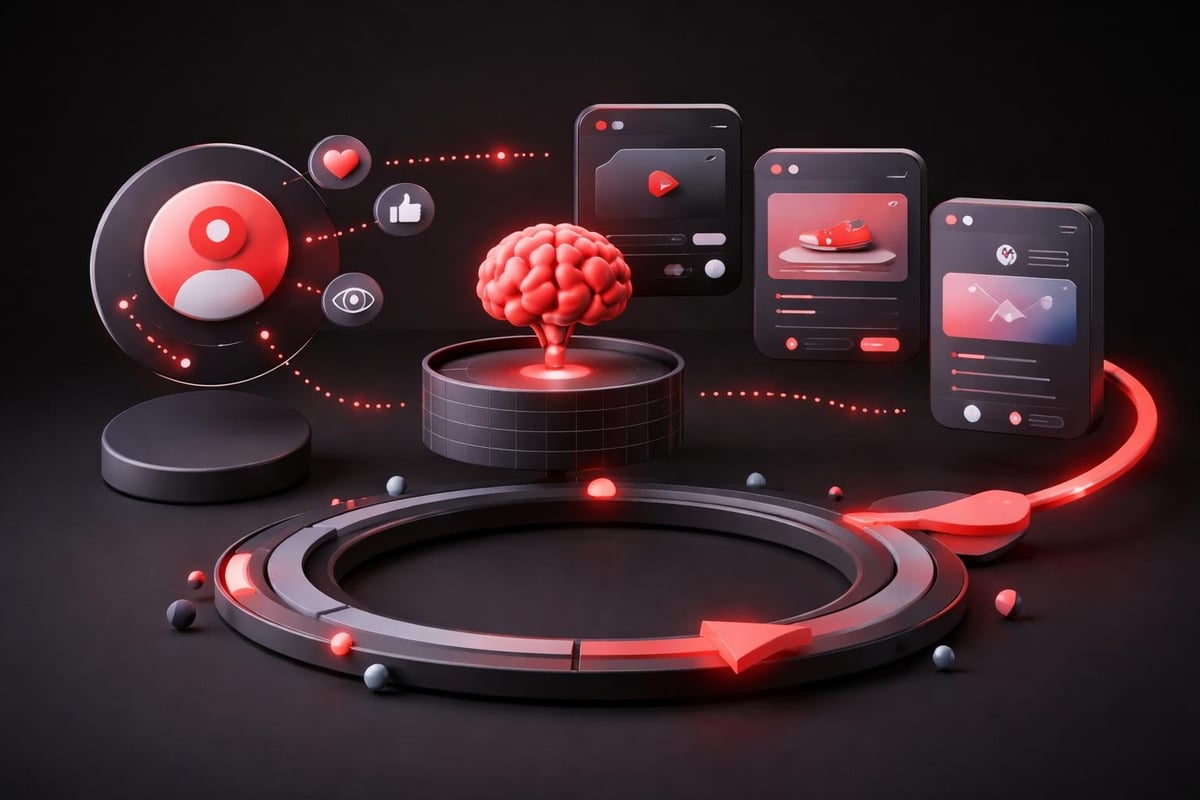
AI enables adaptive interfaces that adjust based on user behavior patterns, experience level, and contextual signals. The system learns which users skip tutorials, which need progressive disclosure, which respond to specific CTAs. This happens automatically without manually programming every variation.
Implementation requires three components:
- Behavioral tracking infrastructure: Capture interaction patterns, feature usage frequency, task completion rates
- AI interpretation layer: Classify users into dynamic segments based on behavior clusters, not static demographics
- Adaptive UI system: Serve interface variations matched to segment patterns while maintaining brand consistency
This shifts from "design for the average user" to "design frameworks that adapt to actual users." The improvement shows in activation rates, feature adoption, and reduced support volume. When interfaces meet users where they are instead of where you assume they should be, friction drops.
Operational Integration of AI and UX Design
Building AI-Assisted Design Systems
Design systems ensure visual consistency and component reusability. AI extends this to pattern recognition and automated application. Your design system becomes generative infrastructure instead of just a component library.
The shift requires rethinking system architecture. Traditional systems document components. AI-assisted systems encode design principles as rules the AI applies when generating variants. This means investing upfront in codifying what makes a button treatment "on brand" or a layout "conversion-optimized."
Core system elements:
- Semantic component definitions: Describe not just what components look like but when and why to use them
- Constraint parameters: Define spacing systems, color relationships, typography scales as mathematical relationships AI can manipulate
- Pattern libraries: Document proven interaction patterns with context about user goals and business outcomes
- Quality evaluation frameworks: Establish criteria AI uses to assess whether generated variations maintain brand integrity
This foundation enables scalable design systems that grow with your product without linear increases in designer headcount. New features inherit existing patterns automatically. The design system becomes both documentation and generation engine.
Workflow Architecture for AI Collaboration
Treating AI as another design tool misses the strategic opportunity. The question isn't "which AI tool do I use?" It's "how do I architect workflows where AI amplifies designer judgment?"
Effective workflow architecture separates strategic decision-making from execution tasks. Designers own problem framing, success criteria, brand alignment, and final approval. AI handles research synthesis, variant generation, accessibility checking, and specification documentation.
| Designer Responsibility | AI Responsibility | Handoff Point |
|---|---|---|
| Define user problem and business goal | Generate solution approaches within constraints | Designer reviews options |
| Select strategic direction | Create detailed variations of chosen direction | Designer evaluates and refines |
| Establish brand standards | Apply standards across all generated assets | Designer spot-checks compliance |
| Make final shipping decision | Document specifications and generate developer handoff | Designer approves before dev |
This division requires clear process definition. When does the designer step in? What criteria trigger human review? How do you maintain quality control without creating bottlenecks? Human-centered AI design principles provide frameworks for these decisions.
The productivity gain isn't just speed. It's the ability to focus designer time on decisions that actually require human judgment while automating everything else. Most design work involves applying existing patterns to new contexts. AI excels at pattern application. Designers excel at knowing which patterns matter.
Quality Control and Brand Consistency
The risk with AI-generated design work is visual homogeneity and brand dilution. Without guardrails, you get technically competent designs that feel generic. Quality control becomes more critical, not less.
Implement multi-layer review systems. AI generates within defined constraints. Automated checks verify accessibility compliance, brand guideline adherence, and technical feasibility. Designers review for strategic alignment and user value. This catches failures at appropriate stages instead of waiting for final review.
Quality control checkpoints:
- Constraint validation: Does the generated work stay within defined parameters?
- Technical compliance: Does it meet accessibility standards and responsive requirements?
- Brand integrity: Does it feel like your product or like a template?
- Strategic alignment: Does it serve the user goal and business objective?
- Edge case handling: Does it break with unusual content or user contexts?
Building these checkpoints into your workflow prevents the "move fast and break things" approach from degrading product quality. Speed without quality control creates technical debt and brand erosion. The goal is fast iteration within quality boundaries, not fast iteration that ignores quality.
Strategic Positioning Through AI and UX Design
Competitive Advantage Through Design Velocity
Markets reward teams that ship learning cycles faster than competitors. When your design-to-validation cycle takes two weeks and your competitor's takes eight, you learn four times faster. This compounds into product-market fit advantages that are difficult to overcome.
AI and ux design integration creates this velocity differential. You test more hypotheses in less time. You identify winning patterns faster. You adapt to market feedback while competitors are still analyzing their last round of research.
The advantage isn't just internal. Faster iteration enables responsive personalization that competitors using traditional workflows can't match. When you can ship a new onboarding flow in response to user feedback within days, you create experiences that feel custom-built for your audience.
This requires organizational commitment beyond tool adoption. Teams need permission to test more, fail faster, and trust AI-assisted insights. Leadership needs to measure learning velocity, not just feature shipping velocity. AI-powered design processes enable the speed, but culture determines whether teams use it strategically.
Resource Allocation and Team Structure
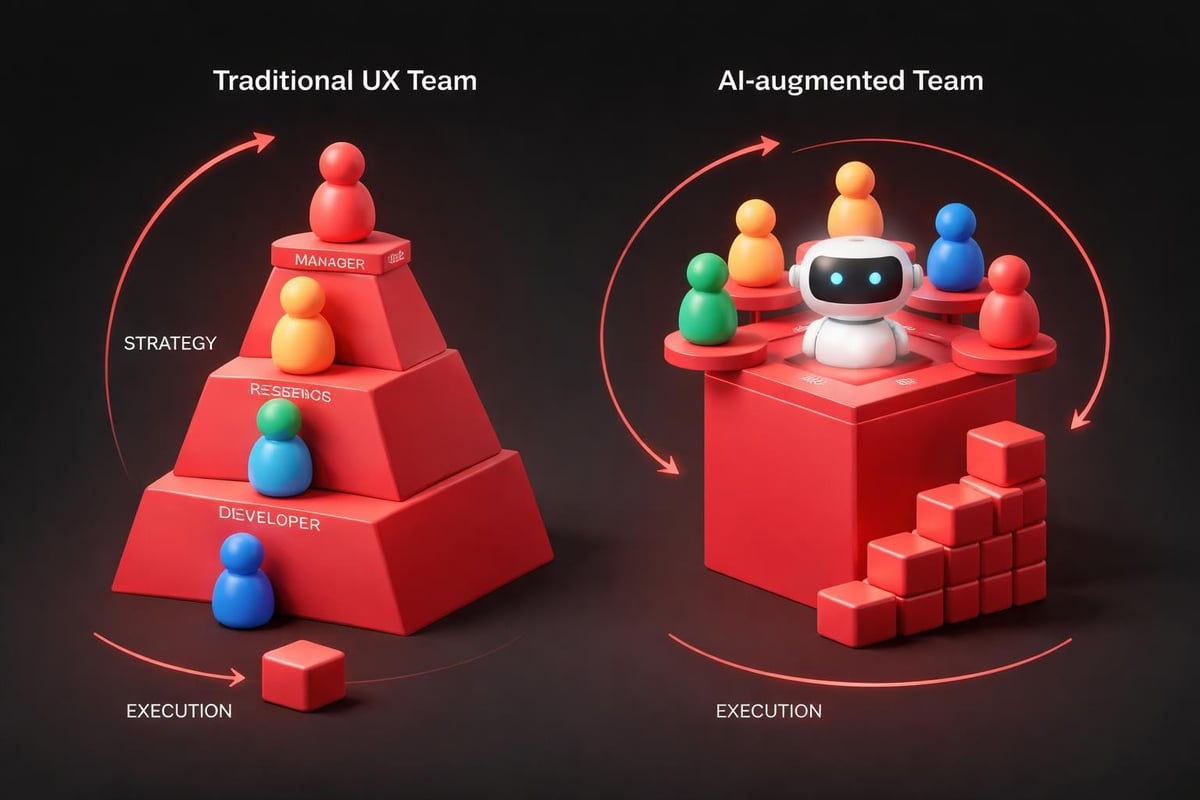
Traditional UX teams scale linearly with project load. More features require more designers. This creates capacity constraints that slow growth and increase headcount costs.
AI-augmented teams scale differently. Core strategic designers focus on direction, brand evolution, and complex problem-solving. AI handles execution, variation generation, and documentation. This shifts the resource curve from linear to logarithmic.
Resource reallocation opportunities:
- Reduce junior designer roles focused on production work: AI handles component application and variation generation more efficiently
- Increase senior strategic design investment: More budget for designers who can frame problems and define constraints
- Add AI orchestration specialists: New role managing AI tools, quality control, and workflow optimization
- Invest in design system infrastructure: Foundation that enables AI generation requires upfront investment
This doesn't mean smaller teams. It means teams structured for strategic impact instead of production capacity. The output per designer increases significantly when AI removes execution bottlenecks.
For startups and growing companies, this changes the build-vs-buy calculation. Working with partners who've integrated AI into design workflows provides immediate access to these capabilities without building internal infrastructure. The time-to-value improvement often outweighs the cost of hiring and training an internal team.
Implementation Framework for AI and UX Design
Pilot Program Structure
Don't attempt organization-wide AI integration immediately. Start with contained pilot programs that demonstrate value and expose integration challenges before scaling.
Effective pilot characteristics:
- Bounded scope: One product area or specific workflow, not entire design operation
- Measurable outcomes: Define success metrics before starting (time savings, variant testing volume, user satisfaction improvement)
- Cross-functional participation: Include designers, developers, and product managers to surface integration issues
- Fixed duration: 30-60 day pilots create urgency and forcing functions for decision-making
- Documentation mandate: Capture what works, what doesn't, and why for scaling decisions
Choose pilot projects where speed and variation matter more than absolute creative control. Landing page optimization, email campaign design, and onboarding flow testing work well. Brand identity development and complex interaction design are poor early pilots.
Track both quantitative and qualitative results. Time savings matter, but designer satisfaction and creative quality matter more. If AI speeds up work but designers hate the output, you've optimized the wrong metric.
Tool Selection and Integration
The AI design tool landscape evolves rapidly. Tools that lead in 2026 may lag by 2027. Focus on integration capabilities and workflow fit over feature checklists.
| Selection Criteria | Why It Matters | Evaluation Method |
|---|---|---|
| Design system compatibility | AI must work with your existing component libraries | Test with actual design system files |
| Output quality control | Need ability to constrain and guide generation | Generate variations and assess brand fit |
| Developer handoff process | AI outputs must translate to production code | Run full design-to-development cycle |
| Learning curve and adoption | Teams won't use tools they don't understand | Pilot with actual designers, measure usage |
| Data privacy and security | User research contains sensitive information | Review data handling and storage policies |
Prioritize tools that integrate with your existing workflow over standalone platforms. If your team uses Figma and Framer, AI tools that export to those formats reduce friction. Understanding modern web design workflows helps identify integration points.
Avoid vendor lock-in when possible. Standardize on open formats for AI training data and outputs. This preserves optionality as better tools emerge.
Training and Change Management
AI integration fails more often from organizational resistance than technical limitations. Designers fear being replaced. Product managers worry about quality degradation. Developers question whether AI outputs are actually implementable.
Address these concerns through demonstrated value, not reassurance. Show designers how AI removes tedious work and lets them focus on creative problem-solving. Prove to product managers that AI enables more testing, which improves outcomes. Give developers AI-generated specifications that actually work.
Change management essentials:
- Start with enthusiasts: Identify designers interested in AI and let them prove value to skeptics
- Share wins publicly: When AI-assisted projects ship faster or perform better, document and share results
- Provide ongoing training: AI tools evolve; continuous learning keeps teams effective
- Address failures transparently: When AI generates poor work, analyze why and improve constraints
- Maintain human authority: Designers approve all AI outputs; AI suggests, humans decide
The cultural shift matters more than the technical implementation. Teams that embrace AI as collaborative infrastructure outperform teams that view it as threatening automation.
Measuring AI and UX Design Impact
Velocity and Output Metrics
Quantify the productivity improvements AI enables. These metrics justify continued investment and identify optimization opportunities.
Primary velocity indicators:
- Design-to-prototype time: How long from initial concept to testable prototype?
- Variation testing volume: How many approaches can you test in a sprint?
- Research synthesis speed: Time from user research completion to actionable insights
- Specification generation time: How fast do developers get implementable specs?
- Revision cycle speed: Time to incorporate feedback and generate updated designs
Track these before and after AI integration. Expect 3-5x improvements in execution-heavy tasks, smaller improvements in strategic work. If you're not seeing meaningful velocity gains, either tool selection or workflow integration needs adjustment.
Also measure designer satisfaction. Velocity without improved work quality or reduced frustration isn't sustainable. Survey teams regularly about whether AI makes their work more strategic or just faster.
Business Outcome Correlation
Speed metrics matter, but business impact matters more. Does faster design iteration actually improve product performance?
Connect design process changes to outcome metrics. When you ship three onboarding variations instead of one, does activation improve? When AI enables deeper personalization, does retention increase? When research synthesis speeds up, do you catch critical issues earlier?
| Process Metric | Business Outcome | Measurement Approach |
|---|---|---|
| 5x more landing page variants tested | 23% conversion rate improvement | A/B test results before/after AI integration |
| Research insights available 12 days faster | 2 major UX issues caught before launch | Issue discovery timeline analysis |
| Personalized UI for 8 user segments vs 1 | 15% activation rate increase | Cohort analysis by segment |
| Prototype feedback cycles shortened 60% | 8 fewer post-launch critical bugs | Bug severity tracking |
These connections justify AI investment at the executive level. Design velocity is nice. Revenue impact from better conversion rates is budget-expanding.
Build attribution carefully. Other factors influence business metrics. Use control groups, time-series analysis, and statistical rigor to isolate AI impact from confounding variables.
Continuous Optimization
AI and ux design integration isn't a one-time implementation. Tools improve, workflows evolve, and teams learn better patterns. Treat this as ongoing infrastructure investment, not a project with an end date.
Establish quarterly review cycles. Evaluate whether AI tools still serve current needs. Assess whether teams are using capabilities fully or just scratching the surface. Identify bottlenecks that new tools or process changes could address.
Optimization focus areas:
- Constraint refinement: Are AI generation parameters producing better work as you tune them?
- Quality control efficiency: Can you automate more review steps without sacrificing standards?
- Tool consolidation: Are you using five tools where two would suffice?
- Skill development: What training would unlock more value from existing tools?
- Workflow gaps: Where do human handoffs still create unnecessary delays?
The teams that extract maximum value from AI and ux design integration treat it like product development itself. Continuous iteration, user feedback (in this case, designer feedback), and measured improvement over time.
Future-Proofing Your Design Practice
Building Adaptive Design Infrastructure
Design systems built for manual workflows won't support AI-assisted generation effectively. Future-proof infrastructure encodes design knowledge as rules and relationships, not just visual documentation.
This requires rethinking how you document design decisions. Instead of "here's the button style," document "buttons use primary color for main actions, secondary color for supporting actions, and neutral color for destructive actions." The AI can apply the principle to new contexts instead of just copying the visual.
AI in product design innovation increasingly depends on these semantic design systems. As AI capabilities advance, the teams with well-structured design knowledge will accelerate faster than teams treating AI as a simple automation tool.
Skill Evolution for Design Teams
The skills that define excellent designers are shifting. Pixel-perfect visual execution matters less when AI handles production. Strategic thinking, problem framing, and systems architecture matter more.
Invest in developing:
- Constraint definition skills: Teaching AI what "on brand" means requires precise articulation of fuzzy concepts
- Quality evaluation speed: Reviewing 50 AI-generated variations requires pattern recognition and quick judgment
- Strategic frameworks: Knowing which problems to solve matters more than knowing which buttons to use
- Cross-functional collaboration: AI-assisted workflows require tighter designer-developer integration
This doesn't mean visual craft skills become irrelevant. It means they become table stakes instead of differentiators. The designers who thrive are those who combine craft excellence with strategic business thinking and AI orchestration.
Ethical Considerations and User Trust
AI-generated designs raise questions about authenticity, bias, and user manipulation. Teams must establish ethical guidelines before problems emerge.
Key ethical considerations:
- Disclosure: Do users have a right to know which experiences are AI-generated versus human-designed?
- Bias detection: How do you ensure AI doesn't perpetuate existing design biases or create new ones?
- Manipulation prevention: AI's optimization capabilities could enable dark patterns at scale; how do you prevent this?
- Accessibility commitment: AI must enhance accessibility, not treat it as an afterthought
- Data privacy: User research data feeding AI systems requires careful handling and consent
Resources on designing humane AI provide frameworks for these decisions. Establish principles early and enforce them through process, not just policy. Make ethical review part of the quality control checkpoints that govern AI output.
The competitive advantage from ai and ux design integration only sustains if users trust the resulting experiences. Cutting corners on ethics for short-term optimization gains destroys long-term brand value.
AI transforms design workflows from linear production pipelines into adaptive strategic systems. The teams that architect these workflows correctly compress learning cycles, increase testing capacity, and deliver personalized experiences previously impossible at scale. Embark Studio™ integrates AI-assisted design workflows into every partnership, enabling startups to move faster without sacrificing quality or strategic direction. If you're building products that need to evolve as quickly as your market, we should talk.
Get articles like this in your inbox
Practical design and growth insights for founders. No spam, unsubscribe anytime.


