

Most digital products miss their mark because they treat convert design as surface-level decoration, not as a system for driving measurable growth.
To truly succeed in 2026, you need more than a pretty interface. You need a conversion engine built on psychology, clarity, and AI-powered workflows that accelerate—not replace—creativity.
In this guide, we’ll break down every layer of the modern convert design process. You’ll see how core principles guide action, how real UI decisions drive results, and how AI can amplify your team’s impact.
Ready to rethink what design can do? Let’s move beyond the old playbook and start building systems that actually convert.
Understanding Convert Design: Principles for 2026 Success
The Psychology Behind High-Converting Design
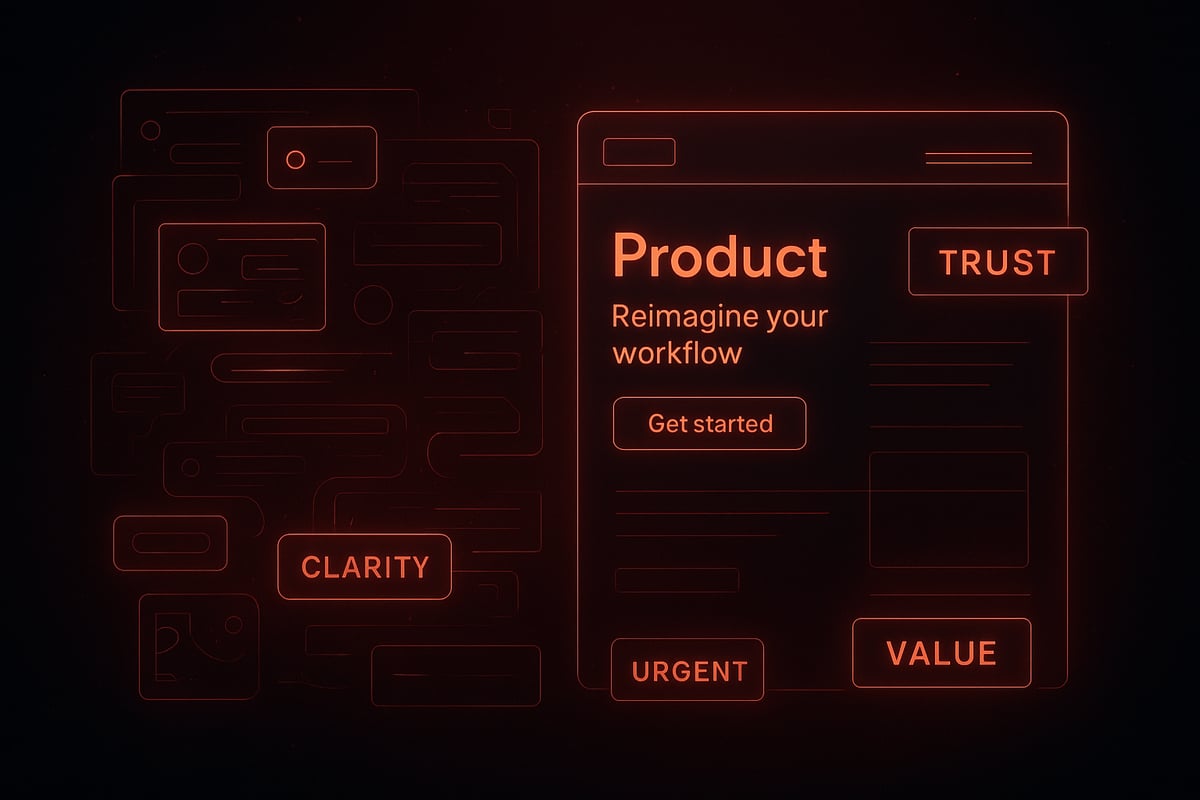
Most teams still mistake convert design for surface-level visuals. In reality, the real engine of conversion is psychology, not decoration. High-performing interfaces guide users through clarity, trust, urgency, and perceived value.
Clarity comes first. If users do not instantly grasp your offer, they will bounce. Trust is built with consistent patterns, familiar flows, and social proof. Urgency nudges action with limited offers, while value answers "why now?" Rhythm and hierarchy steer attention, making sure CTAs and headlines stand out at the right moments.
Consider a SaaS homepage that doubled its signups by sharpening its value proposition and refining its visual flow. No extra graphics, just sharper copy and a logical content path. Data shows that conversion-focused redesigns can boost rates between 20 and 100 percent. The best convert design feels invisible—users simply act, not overthink.
In 2026, user expectations are shaped by AI, mobile, and micro-interactions. If you want to dig deeper into the psychology behind conversion, see these Human-Centered AI Design Principles for actionable triggers and best practices.
The Shift from Screens to Systems
Static screens cannot keep up with evolving user journeys. Sustainable convert design requires systems thinking—modular components, scalable libraries, and repeatable patterns.
Design systems allow you to optimize every touchpoint for conversion, not just a handful of pages. For example, modular CTA blocks can be reused across landing pages, ensuring messaging and performance stay consistent. Clarity and repeatability will always outperform novelty.
This approach is about engineering growth, not chasing trends. In a world of infinite devices and channels, only a system-first mindset ensures your convert design adapts and thrives. The future belongs to teams who see design as a living system, not a series of pretty screens. If you want to see how this works in action, Embark Studio™ is shaping frameworks for the next wave of system-driven growth.
The Modern Design Conversion Process: Step-by-Step
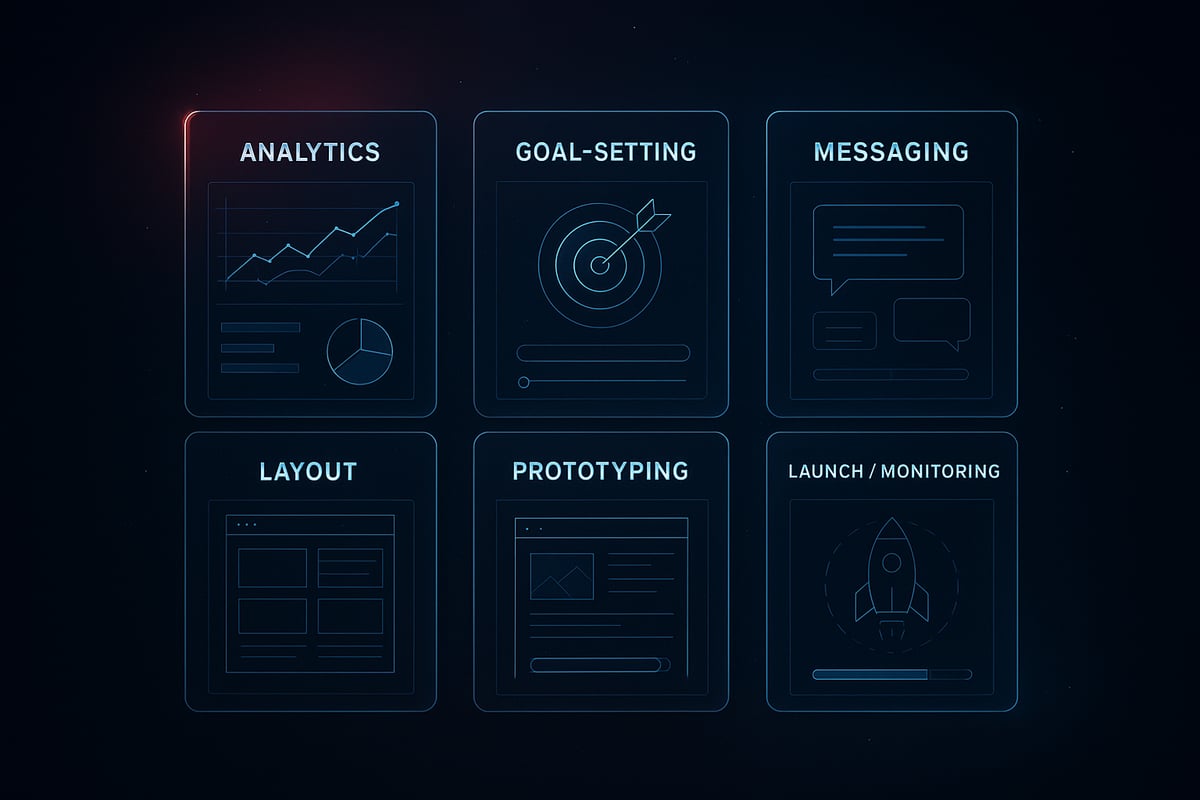
Most teams jump straight into visuals, but high-impact convert design starts with a rigorous process. Let’s break down how to engineer a conversion system that adapts, scales, and delivers real results.
Step 1: Analyze and Audit Existing Design
Start by pinpointing where users drop off. Use analytics and session recordings to reveal friction points. For example, an ecommerce brand found 40 percent of users abandoned checkout due to unclear steps.
Map the user journey visually. Look for moments of confusion, hesitation, or extra clicks. Every insight here is fuel for the convert design process.
Step 2: Define Target Outcomes and Metrics
Set clear conversion goals—signups, purchases, demo requests. Tie every design KPI directly to business objectives.
Metrics-driven convert design is not optional for 2026. If you do not align conversion metrics with user journeys, improvements will always be guesswork.
- Define what success looks like before moving pixels.
- Choose primary and secondary metrics.
- Baseline current performance.
Step 3: Reframe Content and Messaging
Your message is your offer. Sharpen value propositions and microcopy so users instantly “get it.” Use testimonial carousels or social proof to build trust and urgency.
A high-converting landing page focuses on clarity, not clutter. Every word must earn its place and guide users toward action.
Step 4: Redesign for Clarity, Rhythm, and Flow
Apply visual hierarchy for effortless scanning. Balance negative space with actionable elements. Modular layouts let you reuse proven CTA blocks across pages.
Clarity and repeatability always outperform novelty. For a deeper dive on this systems-thinking approach, see Scalable Design Systems in 2026.
- Use contrast to highlight actions.
- Remove distractions.
- Let rhythm guide the eye.
Step 5: Prototype, Test, and Iterate
Build rapid prototypes to test changes before launch. Run A/B tests, gather feedback, and iterate weekly. Industry benchmarks show 70 percent of top teams iterate at least once a week.
AI can accelerate this step by generating multiple CTA or layout variants, but human intuition remains essential for convert design success.
Step 6: Launch and Monitor
Go live, but do not relax. Track live metrics and create a feedback loop for continuous improvement.
Convert design is a living system, not a one-time event. Monitor, learn, and refine. That’s how you build sustainable growth.
| Step | Goal | Example Result |
|---|---|---|
| Analyze | Find friction | Reduce drop-offs |
| Define | Set conversion targets | 30% more signups |
| Reframe | Sharpen messaging | Higher trust |
| Redesign | Optimize layout | Faster actions |
| Prototype | Test and iterate | Better engagement |
| Launch | Monitor and improve | Continuous growth |
Ready to move beyond the surface? Our frameworks at Embark Studio™ are built for those who want to master the entire convert design process and scale results.
Types of Design Conversion and Real-World Scenarios
In the world of convert design, the real challenge is not just moving assets from one format to another. It's about re-engineering experience so every touchpoint drives action, no matter the channel or device. When you treat conversion as an ongoing system, not a one-off task, you unlock growth at scale.
Raster to Vector: Scaling for Every Channel
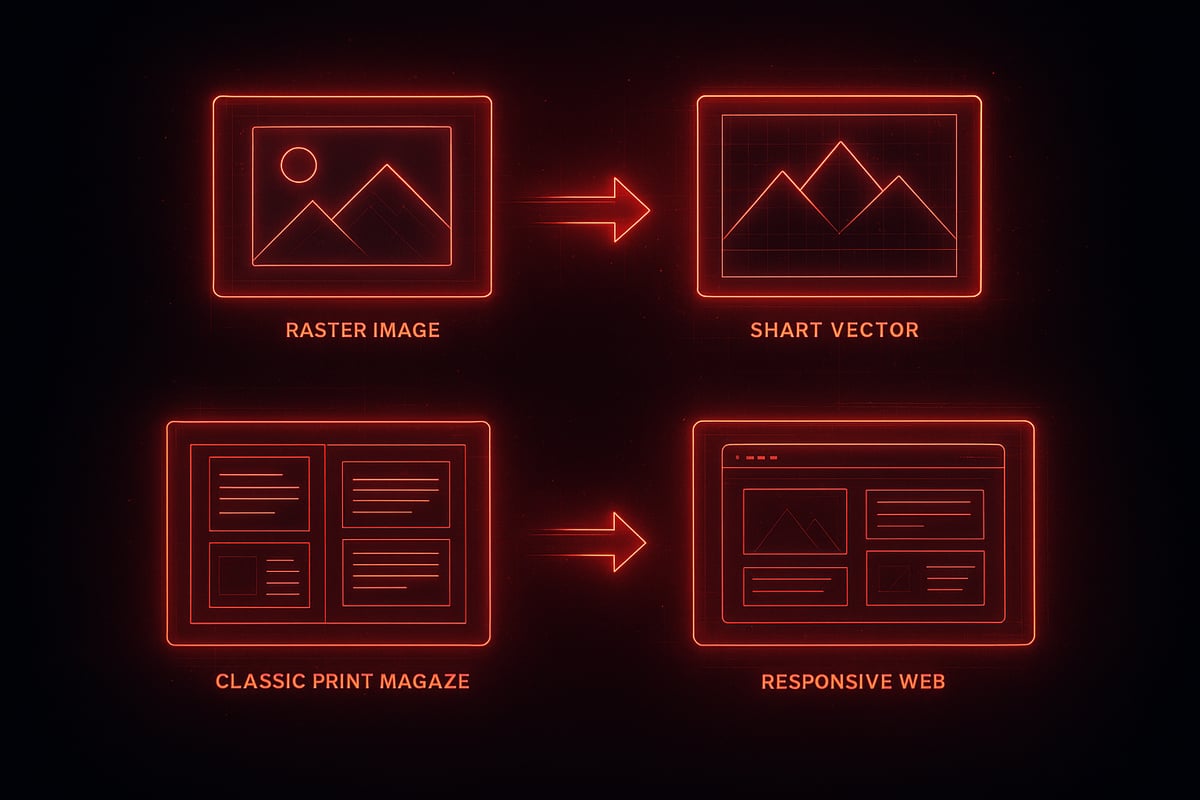
Many brands hit a wall when pixel-based logos and icons lose sharpness across platforms. The core of convert design here is scalability. Start by identifying all raster assets in use. Next, trace or recreate them as vectors, ensuring they remain crisp from mobile screens to billboards.
For example, a SaaS startup reimagined its logo as a scalable vector. Suddenly, every app icon, presentation deck, and printed banner looked unified and sharp. AI-powered tools now automate much of this tracing, letting teams focus on brand clarity instead of manual tweaks.
Treating convert design as a system means every asset is future-proof. Want to see how adaptability shapes trends? Explore 2026 graphic design trends for insight into scalable, authentic design.
PDF to Editable Formats: Unlocking Flexibility
Static PDFs are bottlenecks for fast teams. The convert design mindset here is about flexibility. First, import the PDF into an editor or AI-powered converter. Next, separate content into editable blocks. Refine layouts and microcopy, then export as interactive web or app screens.
A real-world scenario: a sales team repurposes quarterly decks into live web presentations. Instead of outdated slides, they deliver dynamic content that can be tested and tracked. AI accelerates this by auto-detecting headings and images, reducing manual labor.
With convert design, old assets become living systems, not dead-end documents. This shift gives marketing and product teams freedom to iterate quickly, fueling continuous improvement.
Print to Web: Transforming Legacy Assets
Legacy print layouts rarely translate to digital without friction. Convert design here means adapting for flexibility, accessibility, and speed. Start by analyzing the print piece’s structure. Next, rework grid, typography, and colors for web. Use responsive frameworks to ensure seamless adaptation.
Picture a magazine spread reborn as a landing page. The editorial rhythm stays, but now the layout flexes for mobile and desktop. Accessibility checks guarantee that every user can engage—no matter device or ability.
AI tools help by suggesting optimal layouts and color contrasts, but the designer’s eye still ensures clarity. As new design trends emerge, systems-based convert design keeps assets both current and timeless.
Cross-Platform Conversion: Mobile, Desktop, and Beyond
Today’s users expect seamless experiences everywhere. Convert design for cross-platform means mapping out each platform’s needs, then optimizing layouts, assets, and flows for every screen.
Take a mobile-first redesign: by focusing on touch targets, concise copy, and adaptive images, one e-commerce brand saw engagement jump 30 percent. AI-driven previews speed up this process, simulating how assets look across devices and flagging inconsistencies early.
Smart convert design systems make adaptation routine, not reactive. The result? You scale faster, with clarity as your competitive edge. Want to embed this mindset in your team? Our frameworks are built for exactly this kind of growth.
AI-Assisted Workflows: Accelerating Without Replacing Creativity
AI in convert design is often misunderstood. Many assume automation means less creativity, but the real story is more nuanced. The true advantage is acceleration—not replacement—of human ingenuity.
AI tools are reshaping how teams approach convert design, but they cannot replicate a designer’s instinct for rhythm or clarity. Instead, they free up time for deeper strategic thinking. This section reveals how to harness AI’s strengths while keeping your creative edge sharp.
How AI Streamlines—but Doesn’t Replace—Design
The biggest misconception in convert design today is that AI will make designers obsolete. In reality, AI handles routine tasks, so designers can focus on what matters—psychology, clarity, and flow.
Consider asset conversion. Previously, resizing or reformatting icons for every device was tedious. Now, AI can generate scalable assets in seconds, maintaining consistency across all touchpoints. The same applies to layout suggestions: AI can propose variations, but a human still decides which best tells the brand story.
A real UI scenario: A SaaS team uses AI to generate dozens of call-to-action button styles and test them on live traffic. The AI sorts results, but the team selects the winner based on user feedback and brand fit. This partnership ensures every element in convert design earns its place, rather than cluttering screens with guesswork.
Integrating AI Tools in the Conversion Process
Modern design platforms like Figma AI and Framer AI are built for rapid iteration. AI assists by suggesting layouts, optimizing color palettes, or even flagging accessibility issues before launch. The workflow becomes a loop: ideate, prototype, analyze, and iterate—faster than ever.
According to industry reports, teams using AI cut design iteration time by 40 percent. This speed translates to more experiments, sharper insights, and higher conversion rates. For a deeper dive into how AI is shaping product design, see AI in Product Design Trends.
Here’s a simple process for integrating AI in convert design:
- Map your user journey and highlight conversion bottlenecks.
- Use AI tools to prototype multiple UI solutions.
- Run A/B tests and gather both data and qualitative feedback.
- Refine with human judgment, not just metrics.
The result: a system where every change is measured, and creativity is never compromised by routine.
Studio Thinking: Systems Over Screens
Convert design in 2026 is not about one-off screens—it’s about creating adaptable systems. Dynamic design tokens and component libraries mean updates scale across every product touchpoint. AI supports this by maintaining consistency and flagging deviations, but it’s the designer’s eye that ensures clarity and intent.
Imagine a component library where every CTA, form, or banner is modular and testable. AI can suggest improvements or automate updates, but only a human can judge if the interaction feels natural or compelling. The system amplifies your best ideas, rather than diluting them.
If you want to build a convert design system that’s ready for the future, start with frameworks that prioritize rhythm, hierarchy, and user psychology. Our toolkit at Embark Studio™ is designed to help you combine AI acceleration with timeless design principles—for results that are measurable and sustainable.
Conversion-Centered UI Patterns: Application in Real Scenarios
Most teams think UI patterns are just visual trends, but in reality, they are the backbone of effective convert design. A landing page is not just a canvas for creativity; every section, every micro-interaction, must earn its place to drive action. Let’s break down how modern conversion-centered UI patterns work in practice, and how systems thinking, psychology, and AI come together to produce measurable growth.
Anatomy of a High-Converting Landing Page
The secret to convert design is not flashy graphics, but clarity and rhythm. Every high-performing landing page shares a few critical elements:
- Hero Section: Immediately communicates the core value, using a bold headline and concise subtext.
- Value Proposition: Explains why your offer matters, building trust with specifics.
- Social Proof: Testimonials and logos add credibility, reducing friction.
- Call to Action (CTA): Prominent, actionable, and visually distinct.
A real SaaS example: after clarifying their value prop and refining their CTA, signups doubled in a single quarter. For a deeper dive into proven layouts, see High-Converting Landing Page Fundamentals. In convert design, each section works together, guiding users seamlessly toward action.
Micro-Interactions and Feedback Loops
Small details make or break convert design. Micro-interactions, like button hover states or progress indicators, provide instant feedback and reduce uncertainty.
When a button glows on hover or a form field shows real-time validation, users feel in control. This rhythm keeps attention focused and guides behavior. For example, a checkout flow that displays a progress bar can reduce abandonment by making the journey feel achievable.
Effective convert design uses micro-interactions not as decoration, but as subtle signals that increase engagement and trust.
Personalization and Dynamic Content
Personalization is a defining feature of convert design for 2026. By using browsing history or user data, you can surface relevant recommendations or tailor messaging—without crossing into invasive territory.
For instance, an ecommerce site that greets a returning visitor with curated product picks increases the chance of conversion. Dynamic content, like location-based offers, adapts to context and feels natural.
The key is balance: smart personalization enhances the journey, making users feel understood. In convert design, this drives both short-term conversions and long-term loyalty.
Accessibility as a Conversion Driver
Accessibility is not an add-on—it is fundamental to convert design. Simple tweaks, like clear labels, sufficient color contrast, and keyboard navigation, help everyone complete key actions.
A notable case: a signup form that improved label clarity and tab focus saw a 15 percent boost in completions. Accessible convert design expands your audience and signals care, building trust.
Inclusive design is an engine for growth. As you refine your systems, prioritize accessibility to ensure every user can convert with confidence.
Embark Studio™: Your Partner in Conversion-Focused Design Systems
Most teams struggle to scale results because they treat design as a series of isolated screens instead of a living, breathing system. At Embark Studio™, we build every convert design system with clarity, rhythm, and measurable growth in mind.
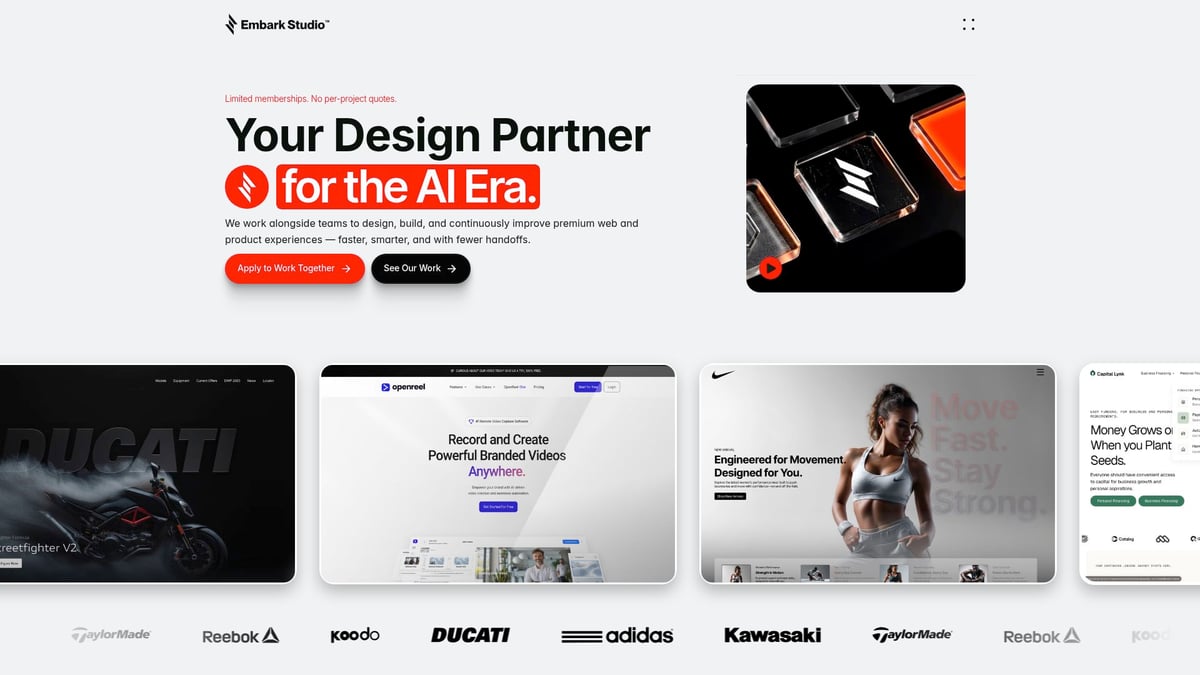
Our embedded approach pairs deep product strategy with rapid iteration, using Framer and AI-assisted workflows to accelerate outcomes. In fact, recent data shows AI's impact on design efficiency has helped teams achieve faster, more consistent improvements without sacrificing creativity.
We partner closely with founders and product teams, testing and refining every touchpoint. If you’re ready to unlock a scalable convert design strategy for 2026, explore our frameworks and evolving toolkit to move beyond surface-level redesigns.
You’ve seen how design isn’t just about making things look good—it’s about crafting systems that drive real growth, especially as we head into 2026. If you’re ready to stop guessing and start building conversion-focused experiences that scale with your startup’s ambitions, let’s take the next step together. We’ll help you audit your current design, align your team around measurable goals, and leverage the power of Framer and AI-assisted workflows for rapid, data-driven results. Curious what this could look like for your product? Book a Free Discovery Call and let’s explore how we can partner for success.
Get articles like this in your inbox
Practical design and growth insights for founders. No spam, unsubscribe anytime.


